
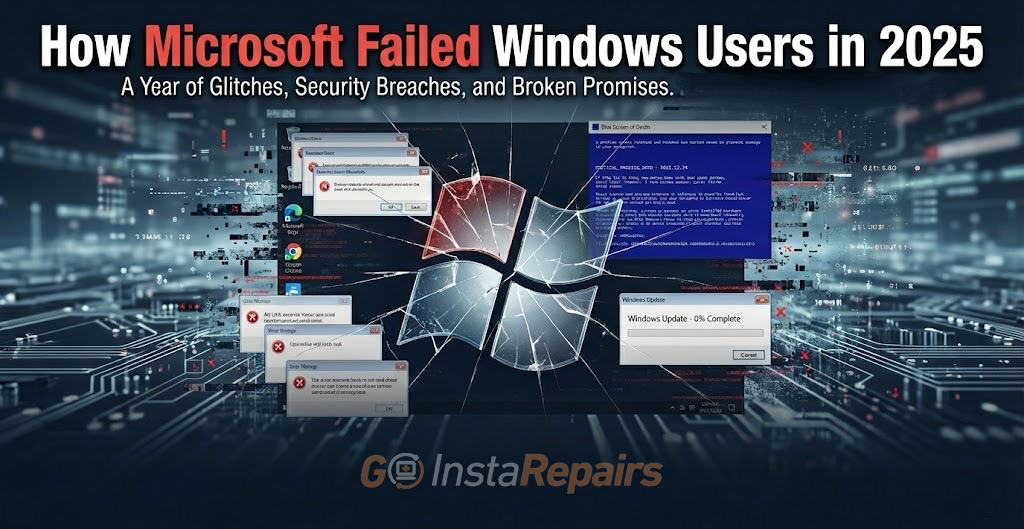
Broken Updates, Spyware, and Forced Upgrades: How Microsoft Failed Windows in 2025
Microsoft had a tumultuous year in 2025, delivering multiple critical failures that left Windows users frustrated, vulnerable to security threats, and facing hardware obsolescence. From catastrophic update bugs that corrupted drives to a botched end-of-support process for Windows 10, the year demonstrated a worrying trend of quality control issues affecting millions of computers worldwide. This comprehensive analysis examines the top 10 failures that significantly impacted Windows in 2025, highlighting the company’s repeated missteps in delivering stable, secure operating system updates.
1. Windows 10 End of Support Process — A Chaotic Transition
Microsoft’s handling of Windows 10’s end of support on October 14, 2025, was marked by poor planning and inadequate support for the transition. With nearly 70% of Windows users still running Windows 10, Microsoft left hundreds of millions of computers without security updates overnight. The company provided minimal guidance for users whose hardware couldn’t meet Windows 11’s strict requirements, particularly regarding the TPM 2.0 mandate. After October 14, 2025, Windows 10 PCs received no security patches, feature updates, or technical assistance, leaving them vulnerable to exploitation. Microsoft’s decision to abruptly cut off support, without offering adequate upgrade paths for legacy hardware, forced many organizations to either upgrade entire fleets at enormous cost or accept significant security risks.The company also leveraged Microsoft 365 compatibility to pressure users into upgrading, effectively holding productivity software hostage.
2. December 2025 Security Update KB5072033 Installation Failures
The December 2025 security update (KB5072033, Build 26200.7462) became a nightmare for many Windows 11 users, with widespread installation failures affecting thousands of systems. Users reported that the update would fail repeatedly with error codes such as 0x800F0991 and 0x80070306, even after system resets and manual installation attempts. The update sometimes disappeared entirely from the Windows Update queue, only to reappear days later, leaving users in update limbo. Microsoft acknowledged this was a known issue but offered only temporary workarounds rather than addressing the root cause. Some users reported that the update’s payload itself was incomplete or mismatched with their system configuration, suggesting Microsoft’s quality assurance process failed to catch these critical issues before deployment. The incident demonstrated that even the final security update of the year couldn’t be deployed reliably.
3. October 2025 Update (KB5066835) — Localhost and Critical Bugs
The October 2025 cumulative update (KB5066835) introduced multiple severe bugs that Microsoft struggled to address. Most notably, the update accidentally locked down localhost connections, breaking developer tools, local testing environments, and applications that relied on local machine access. The update also triggered several critical stability bugs across different components. Microsoft had to deploy a Known Issue Rollback to revert parts of the faulty update, essentially admitting the patch never should have been released in its original form. This update also introduced widespread gaming performance issues on Nvidia hardware that Microsoft refused to acknowledge while Nvidia had to release emergency hotfix drivers.
4. Severe Gaming Performance Regression After October 2025 Update
Gamers experienced catastrophic frame rate drops after installing the Windows 11 October 2025 update (KB5066835), with some reporting FPS plummeting from 120-140 frames to 40-70 frames in demanding titles like Assassin’s Creed Shadows. The issue specifically affected Nvidia GPU systems, with reported power consumption dropping by approximately 100W despite full GPU utilization. Even worse, Microsoft refused to acknowledge the problem while Nvidia had to release a special hotfix driver on November 19 to address the issue. Users discovered they couldn’t simply uninstall the update after 7-14 days, forcing them to live with degraded performance or perform a clean OS installation. This failure damaged Microsoft’s credibility in the gaming community and demonstrated that the company’s testing procedures had completely failed to catch a major regression.
5. Zero-Day Vulnerabilities and Critical Security Flaws
Throughout 2025, Microsoft released patches for multiple critical zero-day vulnerabilities that were actively exploited in the wild. December’s Patch Tuesday alone addressed 57 vulnerabilities, including CVE-2025-62221, a critical privilege escalation in the Cloud Files Mini Filter Driver that allowed attackers to gain SYSTEM-level control from unprivileged access. November’s update fixed CVE-2025-62215, a Windows Kernel race condition allowing privilege escalation. A critical RCE vulnerability in the Windows Graphics Component (CVE-2025-50165) with a CVSS score of 9.8 affected core Windows infrastructure. These weren’t isolated incidents — Microsoft patched 1,139 total defects in 2025, the second-largest year in volume behind 2020. The sheer number of critical vulnerabilities patched suggests Microsoft’s development process suffers from significant security blind spots.
6. SSD Corruption and Data Loss Following August 2025 Updates
The August 2025 update (KB5063878) caused widespread data corruption and SSD failures, particularly on drives using Phison, InnoGrit, and Maxio controllers (found in Sandisk, Corsair, and Kioxia drives). The bug triggered massive data loss when users performed large write operations on SSDs that were over 60% full, such as installing large games or decompressing archives. Despite initial reports from Japanese users and prominent tech YouTubers, Microsoft denied any connection to the update despite failing to reproduce the issue themselves. The company eventually acknowledged the problem but never released a targeted fix, leaving affected users to choose between living with unstable hardware or reverting updates and losing security patches.
7. Windows 11 24H2 Stability Issues and Update Cascades
Microsoft’s Windows 11 24H2 major update introduced widespread stability problems that carried through multiple cumulative updates. The May 2025 updates created performance issues, including FPS drops in games like Fortnite and CS:GO that Microsoft didn’t acknowledge for months. Reports of false Windows Firewall warnings (Event 2042 “Config Read Failed”), Alt+Tab lag during gaming, and general slowness plagued systems. Compatibility holds had to be placed on numerous devices, blocking the 24H2 update for users with Easy Anti-Cheat, specific camera implementations, or certain Intel drivers. Microsoft’s admission that the May 2025 update created “rare cases” of stability issues was widely viewed as understated given the scope of reported problems The company’s inability to properly test before release wasted IT administrators’ time troubleshooting preventable issues.
8. Persistent Windows Update Installation Failures
Throughout 2025, users experienced repeated Windows update installation failures across multiple versions. Updates failed when installed via WUSA (Windows Update Standalone Installer) from network shares starting in May 2025. January 2025’s cumulative update failed so persistently that some users were forced to perform complete Windows reinstalls via ISO files. The Windows Update repair tool in Settings became so unreliable that IT professionals began recommending manual ISO reinstalls as the only reliable solution. By March 2025, cumulative updates were still failing for many users, forcing them to engage Microsoft support for remote assistance to fix the broken update mechanism. These failures didn’t just inconvenience users — they left systems vulnerable to security exploits because security patches couldn’t be applied.
9. Copilot AI Feature Failures and Privacy Nightmare (Windows Recall)
Microsoft’s Windows Recall AI feature, designed to passively screenshot everything users do, sparked massive privacy backlash in 2025. Security researchers demonstrated that the feature could expose confidential business documents, secure messaging conversations (including encrypted Signal chats), and deleted content to anyone with physical access or local privileges. The opt-in process created a false sense of control — once enabled, re-enabling the feature became easier, and third parties could compromise data from your communications even if you disabled Recall. Separately, bugs caused the Microsoft Copilot app to be unintentionally uninstalled from Windows 11 systems during March 2025 updates. Additionally, Copilot failed to load in Microsoft Office applications when multiple Office apps were open simultaneously, preventing users from accessing AI features. These cascading Copilot-related issues demonstrated Microsoft’s inability to properly integrate AI features without breaking core functionality.
10. TPM 2.0 and Hardware Requirements — Forced Obsolescence
Microsoft’s strict TPM 2.0 and modern CPU requirements for Windows 11 forced massive hardware replacements that many argued constituted planned obsolescence. Devices with TPM 2.0 disabled in BIOS couldn’t run Windows 11 despite the hardware supporting it, requiring invasive BIOS changes. Enterprise environments spent $230,000 to $2,000,000+ upgrading computer fleets that were still functionally capable, simply to meet Microsoft’s arbitrary requirements. By 2025, despite the OS being available for four years, over half of Windows users still hadn’t upgraded to Windows 11 due to these requirements. The company justified the restrictions by citing security benefits, but the forced hardware refresh accelerated e-waste and forced organizations into expensive upgrade cycles without meaningful performance or feature benefits. Microsoft’s inability to support legacy hardware created a divided ecosystem where older PCs became progressively more vulnerable as support ended.
Conclusion: Microsoft’s Quality Control Crisis
The failures documented in 2025 paint a picture of an organization struggling with quality control at every level. From botched security updates to unacknowledged gaming performance regressions, from data-corrupting patches to privacy-nightmare AI features, Microsoft demonstrated repeatedly that its testing and validation procedures are insufficient for an operating system used on hundreds of millions of computers. The company’s handling of the Windows 10 to Windows 11 transition revealed a willingness to abandon users with legacy hardware rather than provide adequate upgrade paths. For organizations and individuals running Windows systems, the lesson is clear: be cautious with immediate update deployment, maintain comprehensive backups, and consider whether your hardware truly needs the latest version or if stability matters more than new features.
Microsoft’s 2025 track record suggests that Windows users should exercise extreme vigilance when deploying updates, hold back on critical systems from day-one releases, and maintain robust data backups. The company’s inability to prevent critical regressions, security vulnerabilities, and data corruption issues demonstrates that the operating system has become too complex for current quality assurance practices. Until Microsoft demonstrably improves its development and testing processes, Windows users would be wise to assume that every update carries risk and to treat stability as the highest priority rather than remaining on the bleeding edge of new releases.
SOURCES
[1] Microsoft announces end of support for Windows 10 for October 14, 2025.
[2] Windows 10 support has ended on October 14, 2025 – Microsoft Support
[3] End of support for Windows 10, Windows 8.1, and Windows 7 | Microsoft Windows
[4] Why is the TPM requirement the big issue for everyone?
[5] 2025-12 Security Update (KB5072033) (26200.7462)
[6] Windows 11 KB5072033 issues: Microsoft confirms a bug
[7] Critical Bug on Windows 11: The Update That Crashes
[8] Gamers confirm frame drops after Windows 11 update that
[9] Windows 11 December 2025 update fixes 57 flaws, one
[10] CVE-2025-62215: Microsoft Patches Windows Kernel Zero
[11] Microsoft’s last Patch Tuesday of 2025 addresses 57 defects, including
[12] Hackers Seize Control of Windows with a Single Critical
[13] Microsoft denies recent Windows 11 update is bricking SSDs
[14] Windows Update Causes Disk (SSD) Corruption! Do not
[15] Windows 11 Update KB5063878 may corrupt data or make
[16] Why Is Windows 11 Slow? Troubleshooting, Updates & Performance
[17] Microsoft confirms Windows 11 24H2 stability issues, affecting games
[18] Known and Resolved issues for Windows 11 version 24H2
[19] Microsoft: Recent Windows updates may fail to install via
[20] Finally, I fixed the Cumulative Update for Windows 11 Version 24H2 always failed issue
[21] Microsoft Windows 11 May 2025 Update Brings AI Recall
[22] Windows Recall Returns with Privacy Fixes – But Should
[23] Microsoft Recall on Copilot+ PC: testing the security and
[24] Windows 11 March update bug deletes Copilot app
[25] Microsoft: Running multiple Office apps causes Copilot
[26] The average Windows user doesn’t care about TPM 2.0
[27] Windows 11: Innovation or Planned Obsolescence?
[28] Microsoft’s New 25H2 Windows 11 Update Finally Fixed A
[29] Windows Server 2025 known issues and notifications
[30] Microsoft confirms Windows 11 October 2025 Update breaks WinRE (Recovery) input
[31] Microsoft: Recent Windows updates break RemoteApp
[32] Microsoft December Patch Tuesday: Critical Fixes & Updates
[33] December 2025 Patch Tuesday: Updates and Analysis | CrowdStrike
[34] The November 2025 Security Update Review – thezdi
[35] Windows 11 24H2 and Windows 10 Hit by Severe Lag After
[36] Microsoft Copilot not loading? Here are 7 proven fixes for
[37] Microsoft’s Windows 11 Recall: Revolution or Privacy
4 Comments
Comments are closed.