
Urgent Alert: Dangerous Chrome and Edge Extensions Are Spying on Your Home Computer🚨
Goinsta Repairs Security Alert: Protect Your Privacy Today
A recent cybersecurity discovery has revealed a shocking truth—over 2.3 million users were silently spied on through seemingly legitimate browser extensions available on Chrome and Edge web stores.
How Malicious Extensions Were Used to Spy on You
Researchers uncovered a covert campaign involving 18 browser extensions that:
- Tracked every website a user visited.
- Sent that information to remote servers alongside a unique tracking ID.
- Redirected users to fake websites under the attackers’ control.
- Deployed malware disguised as software updates (like fake Zoom installers).

VPN: The Ultimate Guide for Everyday Computer Users
If you’ve ever worried about your online privacy, felt frustrated by blocked…

Microsoft Windows Update Fails—New Warning For Windows Users
Microsoft warns of Windows 11 update bug causing recovery errors! Should you…
Google Chrome Emergency Update: Don’t Wait, Patch Now
Google releases emergency Chrome update to fix actively exploited vulnerability with serious…

10 Sinister Signs Someone’s Watching: Is Your Windows 11 PC
Is your Windows 11 PC spying on you? 10 sinister signs to…
These extensions appeared trustworthy with high ratings, positive reviews, and even “verified” badges. However, hidden beneath the surface, they were secretly harvesting user data, hijacking browser sessions, and potentially installing malware that could lead to a total device compromise.
These threats were discovered to be “sleeper agents”—benign at first, but modified later via updates to inject malicious code once they’d gained enough user trust.
Example: You click a Zoom meeting link. Instead of joining, you’re redirected to a fake download page. You install what looks like Zoom… but it’s malware. Your device is now compromised—thanks to the sneaky browser extension that hijacked the link.
Affected Extensions: Here’s What to Look For
If you have any of the following extensions installed, uninstall them immediately:
🧩 Chrome Extensions
- Emoji Keyboard Online
- Free Weather Forecast
- Unlock Discord
- Dark Theme
- Volume Max
- Unblock TikTok
- Unlock YouTube VPN
- Geco ColorPick
- Weather
🧩 Edge Extensions
- Unlock TikTok
- Volume Booster
- Web Sound Equalizer
- Header Value
- Flash Player
- YouTube Unblocked
- SearchGPT
- Unlock Discord
These extensions are linked to suspicious domains like admitab[.]com, addmitad[.]com, and click.darktheme[.]net—known for delivering malware payloads and stealing data.
Email Spoofing vs. Phishing: How to Protect Yourself
Is that email real? 🛡️ Learn the simple difference between spoofing and phishing to stay safe online….

Stop Spam Before It Hits Your Inbox: How to Use
Stop spam! 🦆 Learn to use DuckDuckGo Email Protection to block trackers and hide your address. Need secure setup? Goinsta…

Is Your Printer Holding Your Documents Hostage? Why You’re Being
Stop paying rent for the printer you bought! Learn how HP, Epson, and Canon use subscription fees to lock your…

Computer Security Alerts for March 2026: How to Stay Safe
Worried about fake Microsoft alerts, scam texts, suspicious pop-ups, or a slow computer? Learn what to do now and when…
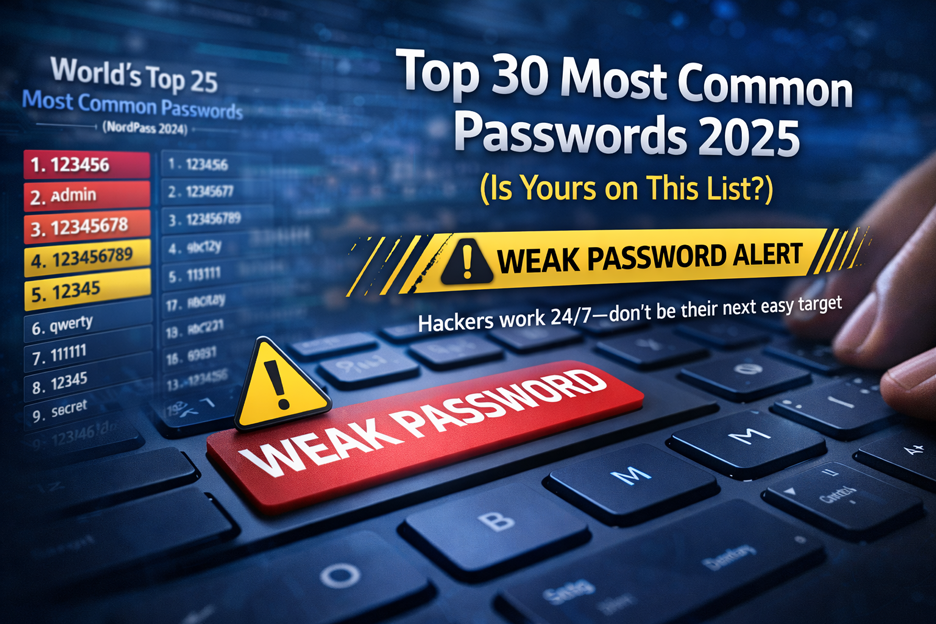
Top 30 Most Common Passwords 2025: Is Yours on This
Most common passwords 2025 revealed—123456 still #1. Goinsta Repairs shows you how to stay safe with easy password fixes….
High-Severity Chrome Vulnerability Exposed AI Assistant to Hijacking – What
CVE-2026-0628: Gemini flaw let malicious extensions hijack AI assistant, access cameras, microphones & files. Get $139 emergency repair at Goinsta…
🔐 What You Need to Do Right Now
If you suspect you’ve been using an infected extension, follow these urgent steps:
- Uninstall the malicious extension immediately.
- Clear your browser data (history, cookies, cache, site data).
- Change your passwords, especially for banks, email, and other sensitive services.
- Enable two-factor authentication (2FA) wherever possible.
- Reset your browser settings to remove hidden changes.
- Update your browser and extensions to the latest versions.
- Run a full system scan using Malwarebytes or a trusted antivirus. This tool can identify and remove browser hijackers and block dangerous domains.
💻 Need Help? Contact Goinsta Repairs Today
At Goinsta Repairs, we prioritize your digital safety. Whether you’re unsure if your system is compromised or need professional malware removal, our expert technicians are here to help.
Let us assist you with:
- Malware and browser hijacker removal
- Full system diagnostics and clean-up
- Browser and software security hardening
- Password management and two-factor setup
📞 Call us now 888-335-7145
📧 Email us at contact@goinstarepairs.com
🌐 Visit us our blog

Don’t wait until it’s too late—contact Goinsta Repairs today for reliable, fast and professional help securing your devices.
Trusted Resource:
This report is based on research from leading cybersecurity experts and real-time threat analysis provided by Malwarebytes, a trusted name in malware detection and prevention.
Stay safe. Stay protected. Trust Goinsta Repairs. 🛡️Let us fix what others miss.