
Copyright © 2026 Go Instarepairs LLC | All Rights Reserved Dismiss

Skip to content
Goinsta Reoairs Logo
  • Our ServicesExpand
    • Remote Support
    • On-Site Support
    • Insta Care
    • Smart Home
  • ResourcesExpand
    • Download Center
    • FAQ
    • Video Library
  • My account
  • ShopExpand
    • Office 2024 Life-Time Sale
    • Antivirus Sale
  • Blog
  • Cart Shopping Cart
    • No products in the cart.

Goinsta Reoairs Logo
Goinsta Repairs
Fast Computer Repairs, One Call Away!
Home / record
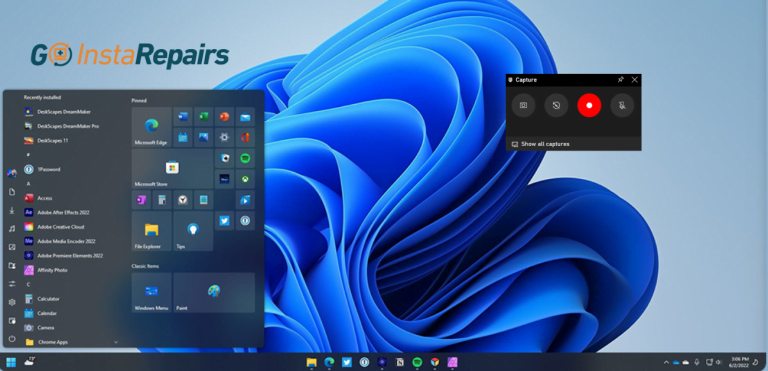
  • In this article, we will show you how to screen record on Windows 10 and Windows 11.
    Computers / IT Solutions / Learning / Technology / Windows

    How to record the screen on Windows 10 or 11

    ByGoinsta Repairs October 11, 2023 Computers, IT Solutions, Learning, Technology, Windows

    Screen recording on Windows is a great way to demonstrate, present, or even teach someone how to use a program or just show off your gameplay process

Social Media

Facebook Linkedin X Instagram YouTube Google Reviews
  • FAQ
  • About Us
  • Contact us
  • care@goinstarepairs.com
  • Refund Requests
  • Return Policy
  • Privacy Policy
  • Terms and Conditions
Scroll to top
  • Our Services
    • Remote Support
    • On-Site Support
    • Insta Care
    • Smart Home
  • Resources
    • Download Center
    • FAQ
    • Video Library
  • My account
  • Shop
    • Office 2024 Life-Time Sale
    • Antivirus Sale
  • Blog
Search