
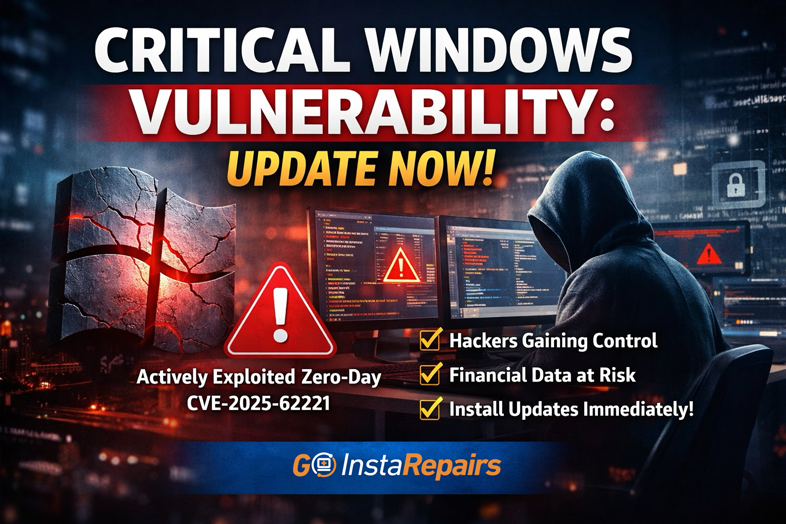
Critical Windows Vulnerability: Update Now
Cybersecurity threats are escalating fast, and December 2025’s Patch Tuesday is one of the most important updates Microsoft has released this year. At Goinsta Repairs, we want to make sure our customers understand what’s happening, why it matters, and how to stay protected.
If you use a Windows computer for work, school, shopping, or banking, this update is critical.
🔍 What Happened: December 2025 Patch Tuesday Explained
Microsoft’s December 2025 security update addressed a massive number of vulnerabilities across Windows, browsers, and third-party software:
- 72 total vulnerabilities patched (Microsoft, Adobe, and third-party)
- 3 critical-severity vulnerabilities
- 55 important-severity vulnerabilities
- 1 actively exploited zero-day vulnerability
- 2 publicly disclosed zero-days
- 1,139 total vulnerabilities patched in 2025(Making 2025 the second-highest year ever for security fixes)
The most concerning issue? One vulnerability is already being actively exploited in real-world attacks.

Stop Spam Before It Hits Your Inbox: How to Use
Stop spam! 🦆 Learn to use DuckDuckGo Email Protection to block trackers and hide…
Top 30 Most Common Passwords 2025: Is Yours on This
Most common passwords 2025 revealed—123456 still #1. Goinsta Repairs shows you how to stay…

High-Severity Chrome Vulnerability Exposed AI Assistant to Hijacking – What
CVE-2026-0628: Gemini flaw let malicious extensions hijack AI assistant, access cameras, microphones & files….

Are Browser Extensions Safe? What You Need to Know Before
Are browser extensions safe? Learn the biggest security risks, warning signs, and how GoInsta…

Don’t Take the Bait: Your Complete Guide to Phishing Protection
Protect your family from phishing scams with simple email safety checks, what to do…

Locked Out? How to Protect Yourself from Ransomware and Sextortion
Cyber extortion happens when hackers break into your devices or network, then threaten to…
⚠️ Actively Exploited Vulnerability: What You Need to Know
CVE-2025-62221 – Windows Elevation of Privilege Flaw
- Affects the Windows Cloud Files Mini Filter Driver
- Classified as a Use-After-Free (UAF) vulnerability
- Allows attackers to escalate privileges
- Can lead to full system control
- Confirmed active exploitation
What This Means for You
If exploited, hackers could:
- Take control of your computer
- Install malware or ransomware
- Steal personal or financial information
- Use your system to attack others
👉 If your system isn’t updated, it’s at risk right now.
🛑 Other Critical Threats in This Update
This Patch Tuesday also addressed several additional high-risk issues:
- CVE-2025-64671 – Remote Code Execution in GitHub Copilot for JetBrains
- Chromium vulnerabilities affecting Microsoft Edge users
- WebKit vulnerabilities impacting Safari users
- Microsoft Exchange Server flaws that put business email accounts at risk
These vulnerabilities affect both home users and businesses, making prompt updates essential.
❗ Why This Patch Tuesday Matters More Than Others
Cybercriminals strategically increase attacks during the holidays, and this update comes at a dangerous time:
- 🎄 End-of-year exploitation surge
- 🧳 Many users are away and won’t notice compromises
- 💳 Holiday shopping means more financial data on devices
- 🏢 Reduced IT support staff for many businesses
Attackers know people are distracted — and they take advantage of it.
🛠️ How to Install These Critical Windows Updates
Option 1: Automatic Updates (Recommended)
- Open Settings
- Go to Windows Update
- Click Check for updates
- Allow updates to install automatically
Option 2: Manual Update
- Save your work
- Run Windows Update manually
- Install all security and cumulative updates
- Restart your computer (required to fully patch vulnerabilities)
If Updates Fail
- Ensure enough disk space
- Check for error messages
- Run Windows Update Troubleshooter
- Or contact Goinsta Repairs for professional assistance
Business Users
- Test updates on non-critical systems first
- Roll out company-wide as soon as possible
- Ensure Exchange Servers and endpoints are fully patched
🕵️ Signs Your Computer May Have Been Compromised
If your system wasn’t updated promptly, watch for these warning signs:
- Slower-than-normal performance
- Random pop-ups or unknown apps
- Unexpected network or internet activity
- System crashes or unusual behavior
- Antivirus warnings you didn’t see before
⚠️ If you notice any of these, stop using the device and seek professional help immediately.
🔐 Protect Yourself Going Forward
At Goinsta Repairs, we recommend these best practices:
- ✅ Enable automatic Windows updates
- 🔔 Turn on notifications for critical patches
- 🛡️ Use Windows Defender or a trusted antivirus
- 💾 Back up your data regularly
- 🔍 Schedule professional security assessments
🧑💻 Need Help? Goinsta Repairs Has You Covered
If you’re unsure whether your computer is fully protected—or if updates failed—Goinsta Repairs can help with:
- Windows update troubleshooting
- Malware and security checks
- System cleanup and performance optimization
- Business and home cybersecurity support
📞 Contact Goinsta Repairs today to make sure your system is secure before hackers take advantage.