
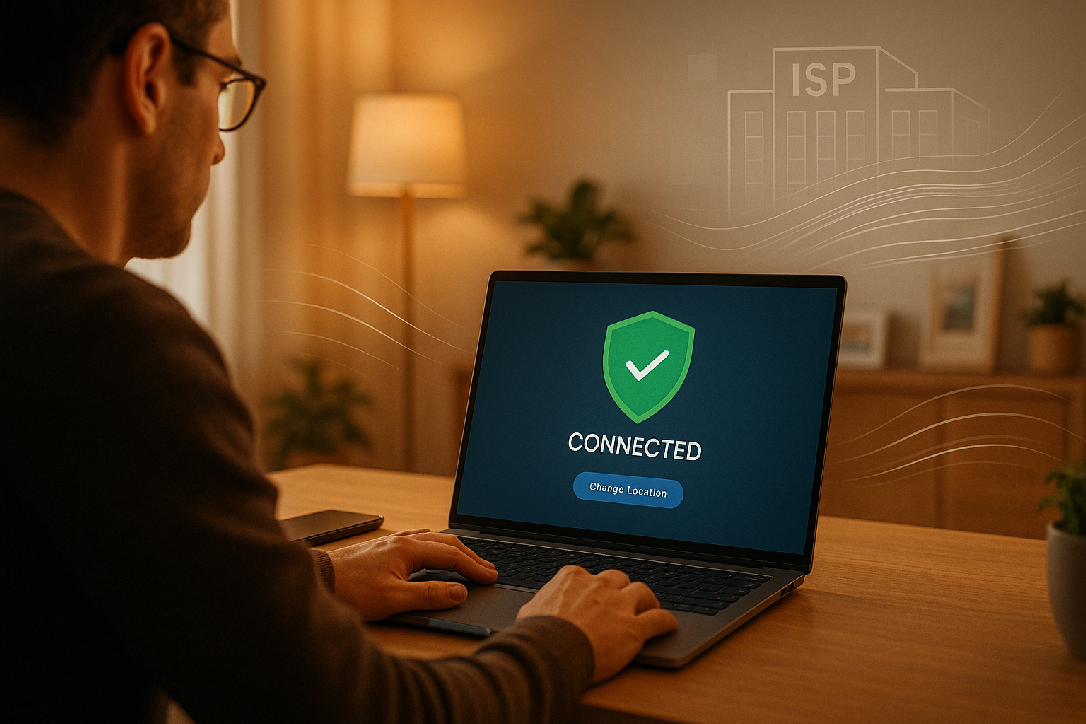
Best VPN for Everyday: Privacy, Speed & ISP Tracking Explained
Key Takeaways for Your Privacy
- Hide from Advertisers: Stop ISPs from selling your data.
- Public Wi-Fi Safety: Use a VPN at coffee shops or airports to stop hackers from stealing passwords.
- Simple Setup: Modern VPNs are as easy as clicking “Connect.”
Not sure which VPN is right for your home or business?
Contact the experts at Goinsta Repairs. We help users across Denver, Houston, NYC, and Miami secure their digital lives every day.
Call Us: 720-604-0834
References: PureVPN (2025), NordVPN Support, Norton Security Insights (2026).
A VPN is like a secure, encrypted tunnel for your internet traffic. Without one, your data is like a postcard—anyone handling it can read the message. With a VPN, your data is a sealed, armored envelope. It scrambles your activity so your ISP and hackers see nothing but gibberish.
What Your ISP Sees WITHOUT a VPN:
- Every website you visit (and how long you stay there).
- Your exact physical location via your IP address.
- Your full browsing history (which many ISPs sell to advertisers).
The Big Question: Can Police Track You When Using a VPN?
The short answer: Police cannot “live-track” your encrypted VPN traffic. Your connection is a black box to them.
The catch: If law enforcement has a court order, they can approach a VPN provider. This is why Goinsta Repairs only recommends “No-Logs” VPNs. If the provider doesn’t keep a record of what you do, they have nothing to hand over, even with a warrant. For 99.9% of users, a VPN provides complete privacy for everyday legal activities.
VPN Speed: Will It Slow Down Your Internet?
A quality VPN typically reduces speed by only 5–15%. If you have a fast connection, you won’t even notice. In fact, if your ISP is “throttling” your speed (slowing you down on purpose during streaming), a VPN can actually increase your performance by hiding your activity from the ISP.
| Activity | Without VPN | With VPN | Impact |
|---|---|---|---|
| Web Browsing | Fast | No Change | None |
| HD Streaming | Smooth | Smooth | Minimal |
| Online Gaming | Low Ping | Slight Lag | Minor |
Stop Being Tracked Today
Ready for real privacy? We stock AVG Secure VPN in our shop—the perfect “set it and forget it” solution for everyday users. It offers bank-grade encryption and high-speed servers without the technical headache.
Key Takeaways for Your Privacy
- Hide from Advertisers: Stop ISPs from selling your data.
- Public Wi-Fi Safety: Use a VPN at coffee shops or airports to stop hackers from stealing passwords.
- Simple Setup: Modern VPNs are as easy as clicking “Connect.”
Not sure which VPN is right for your home or business?
Contact the experts at Goinsta Repairs. We help users across Denver, Houston, NYC, and Miami secure their digital lives every day.
Call Us: 720-604-0834
References: PureVPN (2025), NordVPN Support, Norton Security Insights (2026).
If you’re like most Americans, you spend hours every day online—checking email, shopping, or working from home. But did you know your Internet Service Provider (ISP), hackers, and advertisers can track almost every move you make? This is exactly why a Virtual Private Network (VPN) has become an essential tool for digital privacy in 2026.
In this guide, we’ll explain why a VPN matters and answer the tough questions: Can the police track you? What does your ISP see? And will it slow down your Netflix? We’ll break it down in plain English—no tech degree required.
What Is a VPN and Why Should You Care?
A VPN is like a secure, encrypted tunnel for your internet traffic. Without one, your data is like a postcard—anyone handling it can read the message. With a VPN, your data is a sealed, armored envelope. It scrambles your activity so your ISP and hackers see nothing but gibberish.
What Your ISP Sees WITHOUT a VPN:
- Every website you visit (and how long you stay there).
- Your exact physical location via your IP address.
- Your full browsing history (which many ISPs sell to advertisers).
The Big Question: Can Police Track You When Using a VPN?
The short answer: Police cannot “live-track” your encrypted VPN traffic. Your connection is a black box to them.
The catch: If law enforcement has a court order, they can approach a VPN provider. This is why Goinsta Repairs only recommends “No-Logs” VPNs. If the provider doesn’t keep a record of what you do, they have nothing to hand over, even with a warrant. For 99.9% of users, a VPN provides complete privacy for everyday legal activities.
VPN Speed: Will It Slow Down Your Internet?
A quality VPN typically reduces speed by only 5–15%. If you have a fast connection, you won’t even notice. In fact, if your ISP is “throttling” your speed (slowing you down on purpose during streaming), a VPN can actually increase your performance by hiding your activity from the ISP.
| Activity | Without VPN | With VPN | Impact |
|---|---|---|---|
| Web Browsing | Fast | No Change | None |
| HD Streaming | Smooth | Smooth | Minimal |
| Online Gaming | Low Ping | Slight Lag | Minor |
Stop Being Tracked Today
Ready for real privacy? We stock AVG Secure VPN in our shop—the perfect “set it and forget it” solution for everyday users. It offers bank-grade encryption and high-speed servers without the technical headache.
Key Takeaways for Your Privacy
- Hide from Advertisers: Stop ISPs from selling your data.
- Public Wi-Fi Safety: Use a VPN at coffee shops or airports to stop hackers from stealing passwords.
- Simple Setup: Modern VPNs are as easy as clicking “Connect.”
Not sure which VPN is right for your home or business?
Contact the experts at Goinsta Repairs. We help users across Denver, Houston, NYC, and Miami secure their digital lives every day.
Call Us: 720-604-0834
References: PureVPN (2025), NordVPN Support, Norton Security Insights (2026).
A VPN is like a secure, encrypted tunnel for your internet traffic. Without one, your data is like a postcard—anyone handling it can read the message. With a VPN, your data is a sealed, armored envelope. It scrambles your activity so your ISP and hackers see nothing but gibberish.
What Your ISP Sees WITHOUT a VPN:
- Every website you visit (and how long you stay there).
- Your exact physical location via your IP address.
- Your full browsing history (which many ISPs sell to advertisers).
The Big Question: Can Police Track You When Using a VPN?
The short answer: Police cannot “live-track” your encrypted VPN traffic. Your connection is a black box to them.
The catch: If law enforcement has a court order, they can approach a VPN provider. This is why Goinsta Repairs only recommends “No-Logs” VPNs. If the provider doesn’t keep a record of what you do, they have nothing to hand over, even with a warrant. For 99.9% of users, a VPN provides complete privacy for everyday legal activities.
VPN Speed: Will It Slow Down Your Internet?
A quality VPN typically reduces speed by only 5–15%. If you have a fast connection, you won’t even notice. In fact, if your ISP is “throttling” your speed (slowing you down on purpose during streaming), a VPN can actually increase your performance by hiding your activity from the ISP.
| Activity | Without VPN | With VPN | Impact |
|---|---|---|---|
| Web Browsing | Fast | No Change | None |
| HD Streaming | Smooth | Smooth | Minimal |
| Online Gaming | Low Ping | Slight Lag | Minor |
Stop Being Tracked Today
Ready for real privacy? We stock AVG Secure VPN in our shop—the perfect “set it and forget it” solution for everyday users. It offers bank-grade encryption and high-speed servers without the technical headache.
Key Takeaways for Your Privacy
- Hide from Advertisers: Stop ISPs from selling your data.
- Public Wi-Fi Safety: Use a VPN at coffee shops or airports to stop hackers from stealing passwords.
- Simple Setup: Modern VPNs are as easy as clicking “Connect.”
Not sure which VPN is right for your home or business?
Contact the experts at Goinsta Repairs. We help users across Denver, Houston, NYC, and Miami secure their digital lives every day.
Call Us: 720-604-0834
References: PureVPN (2025), NordVPN Support, Norton Security Insights (2026).
If you’re like most Americans, you spend hours every day online—checking email, shopping, or working from home. But did you know your Internet Service Provider (ISP), hackers, and advertisers can track almost every move you make? This is exactly why a Virtual Private Network (VPN) has become an essential tool for digital privacy in 2026.
In this guide, we’ll explain why a VPN matters and answer the tough questions: Can the police track you? What does your ISP see? And will it slow down your Netflix? We’ll break it down in plain English—no tech degree required.
What Is a VPN and Why Should You Care?
A VPN is like a secure, encrypted tunnel for your internet traffic. Without one, your data is like a postcard—anyone handling it can read the message. With a VPN, your data is a sealed, armored envelope. It scrambles your activity so your ISP and hackers see nothing but gibberish.
What Your ISP Sees WITHOUT a VPN:
- Every website you visit (and how long you stay there).
- Your exact physical location via your IP address.
- Your full browsing history (which many ISPs sell to advertisers).
The Big Question: Can Police Track You When Using a VPN?
The short answer: Police cannot “live-track” your encrypted VPN traffic. Your connection is a black box to them.
The catch: If law enforcement has a court order, they can approach a VPN provider. This is why Goinsta Repairs only recommends “No-Logs” VPNs. If the provider doesn’t keep a record of what you do, they have nothing to hand over, even with a warrant. For 99.9% of users, a VPN provides complete privacy for everyday legal activities.
VPN Speed: Will It Slow Down Your Internet?
A quality VPN typically reduces speed by only 5–15%. If you have a fast connection, you won’t even notice. In fact, if your ISP is “throttling” your speed (slowing you down on purpose during streaming), a VPN can actually increase your performance by hiding your activity from the ISP.
| Activity | Without VPN | With VPN | Impact |
|---|---|---|---|
| Web Browsing | Fast | No Change | None |
| HD Streaming | Smooth | Smooth | Minimal |
| Online Gaming | Low Ping | Slight Lag | Minor |
Stop Being Tracked Today
Ready for real privacy? We stock AVG Secure VPN in our shop—the perfect “set it and forget it” solution for everyday users. It offers bank-grade encryption and high-speed servers without the technical headache.
Key Takeaways for Your Privacy
- Hide from Advertisers: Stop ISPs from selling your data.
- Public Wi-Fi Safety: Use a VPN at coffee shops or airports to stop hackers from stealing passwords.
- Simple Setup: Modern VPNs are as easy as clicking “Connect.”
Not sure which VPN is right for your home or business?
Contact the experts at Goinsta Repairs. We help users across Denver, Houston, NYC, and Miami secure their digital lives every day.
Call Us: 720-604-0834
References: PureVPN (2025), NordVPN Support, Norton Security Insights (2026).
If you’re like most Americans, you spend hours every day online—checking email, shopping, or working from home. But did you know your Internet Service Provider (ISP), hackers, and advertisers can track almost every move you make? This is exactly why a Virtual Private Network (VPN) has become an essential tool for digital privacy in 2026.
In this guide, we’ll explain why a VPN matters and answer the tough questions: Can the police track you? What does your ISP see? And will it slow down your Netflix? We’ll break it down in plain English—no tech degree required.
What Is a VPN and Why Should You Care?
A VPN is like a secure, encrypted tunnel for your internet traffic. Without one, your data is like a postcard—anyone handling it can read the message. With a VPN, your data is a sealed, armored envelope. It scrambles your activity so your ISP and hackers see nothing but gibberish.
What Your ISP Sees WITHOUT a VPN:
- Every website you visit (and how long you stay there).
- Your exact physical location via your IP address.
- Your full browsing history (which many ISPs sell to advertisers).
The Big Question: Can Police Track You When Using a VPN?
The short answer: Police cannot “live-track” your encrypted VPN traffic. Your connection is a black box to them.
The catch: If law enforcement has a court order, they can approach a VPN provider. This is why Goinsta Repairs only recommends “No-Logs” VPNs. If the provider doesn’t keep a record of what you do, they have nothing to hand over, even with a warrant. For 99.9% of users, a VPN provides complete privacy for everyday legal activities.
VPN Speed: Will It Slow Down Your Internet?
A quality VPN typically reduces speed by only 5–15%. If you have a fast connection, you won’t even notice. In fact, if your ISP is “throttling” your speed (slowing you down on purpose during streaming), a VPN can actually increase your performance by hiding your activity from the ISP.
| Activity | Without VPN | With VPN | Impact |
|---|---|---|---|
| Web Browsing | Fast | No Change | None |
| HD Streaming | Smooth | Smooth | Minimal |
| Online Gaming | Low Ping | Slight Lag | Minor |
Stop Being Tracked Today
Ready for real privacy? We stock AVG Secure VPN in our shop—the perfect “set it and forget it” solution for everyday users. It offers bank-grade encryption and high-speed servers without the technical headache.
Key Takeaways for Your Privacy
- Hide from Advertisers: Stop ISPs from selling your data.
- Public Wi-Fi Safety: Use a VPN at coffee shops or airports to stop hackers from stealing passwords.
- Simple Setup: Modern VPNs are as easy as clicking “Connect.”
Not sure which VPN is right for your home or business?
Contact the experts at Goinsta Repairs. We help users across Denver, Houston, NYC, and Miami secure their digital lives every day.
Call Us: 720-604-0834
References: PureVPN (2025), NordVPN Support, Norton Security Insights (2026).
A VPN is like a secure, encrypted tunnel for your internet traffic. Without one, your data is like a postcard—anyone handling it can read the message. With a VPN, your data is a sealed, armored envelope. It scrambles your activity so your ISP and hackers see nothing but gibberish.
What Your ISP Sees WITHOUT a VPN:
- Every website you visit (and how long you stay there).
- Your exact physical location via your IP address.
- Your full browsing history (which many ISPs sell to advertisers).
The Big Question: Can Police Track You When Using a VPN?
The short answer: Police cannot “live-track” your encrypted VPN traffic. Your connection is a black box to them.
The catch: If law enforcement has a court order, they can approach a VPN provider. This is why Goinsta Repairs only recommends “No-Logs” VPNs. If the provider doesn’t keep a record of what you do, they have nothing to hand over, even with a warrant. For 99.9% of users, a VPN provides complete privacy for everyday legal activities.
VPN Speed: Will It Slow Down Your Internet?
A quality VPN typically reduces speed by only 5–15%. If you have a fast connection, you won’t even notice. In fact, if your ISP is “throttling” your speed (slowing you down on purpose during streaming), a VPN can actually increase your performance by hiding your activity from the ISP.
| Activity | Without VPN | With VPN | Impact |
|---|---|---|---|
| Web Browsing | Fast | No Change | None |
| HD Streaming | Smooth | Smooth | Minimal |
| Online Gaming | Low Ping | Slight Lag | Minor |
Stop Being Tracked Today
Ready for real privacy? We stock AVG Secure VPN in our shop—the perfect “set it and forget it” solution for everyday users. It offers bank-grade encryption and high-speed servers without the technical headache.
Key Takeaways for Your Privacy
- Hide from Advertisers: Stop ISPs from selling your data.
- Public Wi-Fi Safety: Use a VPN at coffee shops or airports to stop hackers from stealing passwords.
- Simple Setup: Modern VPNs are as easy as clicking “Connect.”
Not sure which VPN is right for your home or business?
Contact the experts at Goinsta Repairs. We help users across Denver, Houston, NYC, and Miami secure their digital lives every day.
Call Us: 720-604-0834
References: PureVPN (2025), NordVPN Support, Norton Security Insights (2026).
If you’re like most Americans, you spend hours every day online—checking email, shopping, or working from home. But did you know your Internet Service Provider (ISP), hackers, and advertisers can track almost every move you make? This is exactly why a Virtual Private Network (VPN) has become an essential tool for digital privacy in 2026.
In this guide, we’ll explain why a VPN matters and answer the tough questions: Can the police track you? What does your ISP see? And will it slow down your Netflix? We’ll break it down in plain English—no tech degree required.
What Is a VPN and Why Should You Care?
A VPN is like a secure, encrypted tunnel for your internet traffic. Without one, your data is like a postcard—anyone handling it can read the message. With a VPN, your data is a sealed, armored envelope. It scrambles your activity so your ISP and hackers see nothing but gibberish.
What Your ISP Sees WITHOUT a VPN:
- Every website you visit (and how long you stay there).
- Your exact physical location via your IP address.
- Your full browsing history (which many ISPs sell to advertisers).
The Big Question: Can Police Track You When Using a VPN?
The short answer: Police cannot “live-track” your encrypted VPN traffic. Your connection is a black box to them.
The catch: If law enforcement has a court order, they can approach a VPN provider. This is why Goinsta Repairs only recommends “No-Logs” VPNs. If the provider doesn’t keep a record of what you do, they have nothing to hand over, even with a warrant. For 99.9% of users, a VPN provides complete privacy for everyday legal activities.
VPN Speed: Will It Slow Down Your Internet?
A quality VPN typically reduces speed by only 5–15%. If you have a fast connection, you won’t even notice. In fact, if your ISP is “throttling” your speed (slowing you down on purpose during streaming), a VPN can actually increase your performance by hiding your activity from the ISP.
| Activity | Without VPN | With VPN | Impact |
|---|---|---|---|
| Web Browsing | Fast | No Change | None |
| HD Streaming | Smooth | Smooth | Minimal |
| Online Gaming | Low Ping | Slight Lag | Minor |
Stop Being Tracked Today
Ready for real privacy? We stock AVG Secure VPN in our shop—the perfect “set it and forget it” solution for everyday users. It offers bank-grade encryption and high-speed servers without the technical headache.
Key Takeaways for Your Privacy
- Hide from Advertisers: Stop ISPs from selling your data.
- Public Wi-Fi Safety: Use a VPN at coffee shops or airports to stop hackers from stealing passwords.
- Simple Setup: Modern VPNs are as easy as clicking “Connect.”
Not sure which VPN is right for your home or business?
Contact the experts at Goinsta Repairs. We help users across Denver, Houston, NYC, and Miami secure their digital lives every day.
Call Us: 720-604-0834
References: PureVPN (2025), NordVPN Support, Norton Security Insights (2026).
A VPN is like a secure, encrypted tunnel for your internet traffic. Without one, your data is like a postcard—anyone handling it can read the message. With a VPN, your data is a sealed, armored envelope. It scrambles your activity so your ISP and hackers see nothing but gibberish.
What Your ISP Sees WITHOUT a VPN:
- Every website you visit (and how long you stay there).
- Your exact physical location via your IP address.
- Your full browsing history (which many ISPs sell to advertisers).
The Big Question: Can Police Track You When Using a VPN?
The short answer: Police cannot “live-track” your encrypted VPN traffic. Your connection is a black box to them.
The catch: If law enforcement has a court order, they can approach a VPN provider. This is why Goinsta Repairs only recommends “No-Logs” VPNs. If the provider doesn’t keep a record of what you do, they have nothing to hand over, even with a warrant. For 99.9% of users, a VPN provides complete privacy for everyday legal activities.
VPN Speed: Will It Slow Down Your Internet?
A quality VPN typically reduces speed by only 5–15%. If you have a fast connection, you won’t even notice. In fact, if your ISP is “throttling” your speed (slowing you down on purpose during streaming), a VPN can actually increase your performance by hiding your activity from the ISP.
| Activity | Without VPN | With VPN | Impact |
|---|---|---|---|
| Web Browsing | Fast | No Change | None |
| HD Streaming | Smooth | Smooth | Minimal |
| Online Gaming | Low Ping | Slight Lag | Minor |
Stop Being Tracked Today
Ready for real privacy? We stock AVG Secure VPN in our shop—the perfect “set it and forget it” solution for everyday users. It offers bank-grade encryption and high-speed servers without the technical headache.
Key Takeaways for Your Privacy
- Hide from Advertisers: Stop ISPs from selling your data.
- Public Wi-Fi Safety: Use a VPN at coffee shops or airports to stop hackers from stealing passwords.
- Simple Setup: Modern VPNs are as easy as clicking “Connect.”
Not sure which VPN is right for your home or business?
Contact the experts at Goinsta Repairs. We help users across Denver, Houston, NYC, and Miami secure their digital lives every day.
Call Us: 720-604-0834
References: PureVPN (2025), NordVPN Support, Norton Security Insights (2026).
If you’re like most Americans, you spend hours every day online—checking email, shopping, or working from home. But did you know your Internet Service Provider (ISP), hackers, and advertisers can track almost every move you make? This is exactly why a Virtual Private Network (VPN) has become an essential tool for digital privacy in 2026.
In this guide, we’ll explain why a VPN matters and answer the tough questions: Can the police track you? What does your ISP see? And will it slow down your Netflix? We’ll break it down in plain English—no tech degree required.
What Is a VPN and Why Should You Care?
A VPN is like a secure, encrypted tunnel for your internet traffic. Without one, your data is like a postcard—anyone handling it can read the message. With a VPN, your data is a sealed, armored envelope. It scrambles your activity so your ISP and hackers see nothing but gibberish.
What Your ISP Sees WITHOUT a VPN:
- Every website you visit (and how long you stay there).
- Your exact physical location via your IP address.
- Your full browsing history (which many ISPs sell to advertisers).
The Big Question: Can Police Track You When Using a VPN?
The short answer: Police cannot “live-track” your encrypted VPN traffic. Your connection is a black box to them.
The catch: If law enforcement has a court order, they can approach a VPN provider. This is why Goinsta Repairs only recommends “No-Logs” VPNs. If the provider doesn’t keep a record of what you do, they have nothing to hand over, even with a warrant. For 99.9% of users, a VPN provides complete privacy for everyday legal activities.
VPN Speed: Will It Slow Down Your Internet?
A quality VPN typically reduces speed by only 5–15%. If you have a fast connection, you won’t even notice. In fact, if your ISP is “throttling” your speed (slowing you down on purpose during streaming), a VPN can actually increase your performance by hiding your activity from the ISP.
| Activity | Without VPN | With VPN | Impact |
|---|---|---|---|
| Web Browsing | Fast | No Change | None |
| HD Streaming | Smooth | Smooth | Minimal |
| Online Gaming | Low Ping | Slight Lag | Minor |
Stop Being Tracked Today
Ready for real privacy? We stock AVG Secure VPN in our shop—the perfect “set it and forget it” solution for everyday users. It offers bank-grade encryption and high-speed servers without the technical headache.
Key Takeaways for Your Privacy
- Hide from Advertisers: Stop ISPs from selling your data.
- Public Wi-Fi Safety: Use a VPN at coffee shops or airports to stop hackers from stealing passwords.
- Simple Setup: Modern VPNs are as easy as clicking “Connect.”
Not sure which VPN is right for your home or business?
Contact the experts at Goinsta Repairs. We help users across Denver, Houston, NYC, and Miami secure their digital lives every day.
Call Us: 720-604-0834
References: PureVPN (2025), NordVPN Support, Norton Security Insights (2026).
If you’re like most Americans, you spend hours every day online—checking email, shopping, or working from home. But did you know your Internet Service Provider (ISP), hackers, and advertisers can track almost every move you make? This is exactly why a Virtual Private Network (VPN) has become an essential tool for digital privacy in 2026.
In this guide, we’ll explain why a VPN matters and answer the tough questions: Can the police track you? What does your ISP see? And will it slow down your Netflix? We’ll break it down in plain English—no tech degree required.
What Is a VPN and Why Should You Care?
A VPN is like a secure, encrypted tunnel for your internet traffic. Without one, your data is like a postcard—anyone handling it can read the message. With a VPN, your data is a sealed, armored envelope. It scrambles your activity so your ISP and hackers see nothing but gibberish.
What Your ISP Sees WITHOUT a VPN:
- Every website you visit (and how long you stay there).
- Your exact physical location via your IP address.
- Your full browsing history (which many ISPs sell to advertisers).
The Big Question: Can Police Track You When Using a VPN?
The short answer: Police cannot “live-track” your encrypted VPN traffic. Your connection is a black box to them.
The catch: If law enforcement has a court order, they can approach a VPN provider. This is why Goinsta Repairs only recommends “No-Logs” VPNs. If the provider doesn’t keep a record of what you do, they have nothing to hand over, even with a warrant. For 99.9% of users, a VPN provides complete privacy for everyday legal activities.
VPN Speed: Will It Slow Down Your Internet?
A quality VPN typically reduces speed by only 5–15%. If you have a fast connection, you won’t even notice. In fact, if your ISP is “throttling” your speed (slowing you down on purpose during streaming), a VPN can actually increase your performance by hiding your activity from the ISP.
| Activity | Without VPN | With VPN | Impact |
|---|---|---|---|
| Web Browsing | Fast | No Change | None |
| HD Streaming | Smooth | Smooth | Minimal |
| Online Gaming | Low Ping | Slight Lag | Minor |
Stop Being Tracked Today
Ready for real privacy? We stock AVG Secure VPN in our shop—the perfect “set it and forget it” solution for everyday users. It offers bank-grade encryption and high-speed servers without the technical headache.
Key Takeaways for Your Privacy
- Hide from Advertisers: Stop ISPs from selling your data.
- Public Wi-Fi Safety: Use a VPN at coffee shops or airports to stop hackers from stealing passwords.
- Simple Setup: Modern VPNs are as easy as clicking “Connect.”
Not sure which VPN is right for your home or business?
Contact the experts at Goinsta Repairs. We help users across Denver, Houston, NYC, and Miami secure their digital lives every day.
Call Us: 720-604-0834
References: PureVPN (2025), NordVPN Support, Norton Security Insights (2026).
A VPN is like a secure, encrypted tunnel for your internet traffic. Without one, your data is like a postcard—anyone handling it can read the message. With a VPN, your data is a sealed, armored envelope. It scrambles your activity so your ISP and hackers see nothing but gibberish.
What Your ISP Sees WITHOUT a VPN:
- Every website you visit (and how long you stay there).
- Your exact physical location via your IP address.
- Your full browsing history (which many ISPs sell to advertisers).
The Big Question: Can Police Track You When Using a VPN?
The short answer: Police cannot “live-track” your encrypted VPN traffic. Your connection is a black box to them.
The catch: If law enforcement has a court order, they can approach a VPN provider. This is why Goinsta Repairs only recommends “No-Logs” VPNs. If the provider doesn’t keep a record of what you do, they have nothing to hand over, even with a warrant. For 99.9% of users, a VPN provides complete privacy for everyday legal activities.
VPN Speed: Will It Slow Down Your Internet?
A quality VPN typically reduces speed by only 5–15%. If you have a fast connection, you won’t even notice. In fact, if your ISP is “throttling” your speed (slowing you down on purpose during streaming), a VPN can actually increase your performance by hiding your activity from the ISP.
| Activity | Without VPN | With VPN | Impact |
|---|---|---|---|
| Web Browsing | Fast | No Change | None |
| HD Streaming | Smooth | Smooth | Minimal |
| Online Gaming | Low Ping | Slight Lag | Minor |
Stop Being Tracked Today
Ready for real privacy? We stock AVG Secure VPN in our shop—the perfect “set it and forget it” solution for everyday users. It offers bank-grade encryption and high-speed servers without the technical headache.
Key Takeaways for Your Privacy
- Hide from Advertisers: Stop ISPs from selling your data.
- Public Wi-Fi Safety: Use a VPN at coffee shops or airports to stop hackers from stealing passwords.
- Simple Setup: Modern VPNs are as easy as clicking “Connect.”
Not sure which VPN is right for your home or business?
Contact the experts at Goinsta Repairs. We help users across Denver, Houston, NYC, and Miami secure their digital lives every day.
Call Us: 720-604-0834
References: PureVPN (2025), NordVPN Support, Norton Security Insights (2026).
If you’re like most Americans, you spend hours every day online—checking email, shopping, or working from home. But did you know your Internet Service Provider (ISP), hackers, and advertisers can track almost every move you make? This is exactly why a Virtual Private Network (VPN) has become an essential tool for digital privacy in 2026.
In this guide, we’ll explain why a VPN matters and answer the tough questions: Can the police track you? What does your ISP see? And will it slow down your Netflix? We’ll break it down in plain English—no tech degree required.
What Is a VPN and Why Should You Care?
A VPN is like a secure, encrypted tunnel for your internet traffic. Without one, your data is like a postcard—anyone handling it can read the message. With a VPN, your data is a sealed, armored envelope. It scrambles your activity so your ISP and hackers see nothing but gibberish.
What Your ISP Sees WITHOUT a VPN:
- Every website you visit (and how long you stay there).
- Your exact physical location via your IP address.
- Your full browsing history (which many ISPs sell to advertisers).
The Big Question: Can Police Track You When Using a VPN?
The short answer: Police cannot “live-track” your encrypted VPN traffic. Your connection is a black box to them.
The catch: If law enforcement has a court order, they can approach a VPN provider. This is why Goinsta Repairs only recommends “No-Logs” VPNs. If the provider doesn’t keep a record of what you do, they have nothing to hand over, even with a warrant. For 99.9% of users, a VPN provides complete privacy for everyday legal activities.
VPN Speed: Will It Slow Down Your Internet?
A quality VPN typically reduces speed by only 5–15%. If you have a fast connection, you won’t even notice. In fact, if your ISP is “throttling” your speed (slowing you down on purpose during streaming), a VPN can actually increase your performance by hiding your activity from the ISP.
| Activity | Without VPN | With VPN | Impact |
|---|---|---|---|
| Web Browsing | Fast | No Change | None |
| HD Streaming | Smooth | Smooth | Minimal |
| Online Gaming | Low Ping | Slight Lag | Minor |
Stop Being Tracked Today
Ready for real privacy? We stock AVG Secure VPN in our shop—the perfect “set it and forget it” solution for everyday users. It offers bank-grade encryption and high-speed servers without the technical headache.
Key Takeaways for Your Privacy
- Hide from Advertisers: Stop ISPs from selling your data.
- Public Wi-Fi Safety: Use a VPN at coffee shops or airports to stop hackers from stealing passwords.
- Simple Setup: Modern VPNs are as easy as clicking “Connect.”
Not sure which VPN is right for your home or business?
Contact the experts at Goinsta Repairs. We help users across Denver, Houston, NYC, and Miami secure their digital lives every day.
Call Us: 720-604-0834
References: PureVPN (2025), NordVPN Support, Norton Security Insights (2026).
2 Comments
Comments are closed.