
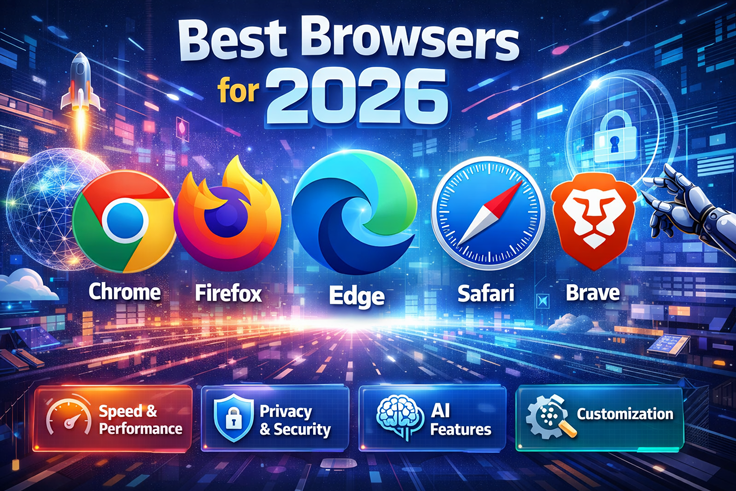
Best Browsers for 2026: Speed, Security & Privacy Compared
Best Web Browsers for 2026: Windows and MacOS Guide by Goinsta Repairs
Welcome to the Goinsta Repairs guide to the best web browsers for 2026! Whether you’re using Windows or MacOS, choosing the right browser can significantly impact your browsing speed, security, and overall online experience. In this comprehensive guide, we’ll walk you through the top browsers available today and help you find the perfect fit for your needs.
Why Browser Choice Matters in 2026
A web browser is your gateway to the entire internet, making it one of the most critical tools on your computer. With cybersecurity threats evolving constantly and privacy concerns at an all-time high, selecting a secure and efficient browser is essential. The right browser can enhance your productivity, protect your data, and ensure smooth operation across all your devices.
At Goinsta Repairs, we understand that performance matters. Whether you’re running Windows or MacOS, the browser you choose affects your system’s speed, battery life (especially for laptop users), and security posture. Our team has researched the latest options to bring you this updated guide for 2026.
Top 5 Best Browsers for Windows and MacOS in 2026
1. Microsoft Edge – Best Overall Browser
Why Choose Microsoft Edge?
Microsoft Edge has undergone a remarkable transformation in recent years and now stands as the best overall browser for 2026. Built on Chromium, Edge delivers exceptional speed and performance while offering features that rival—and sometimes surpass—its competitors.
For Windows users, Edge comes pre-installed, making it incredibly convenient to get started immediately. But don’t let that fool you—this browser is packed with premium features that justify its inclusion as the top choice.
Key Features:
- Startup Boost technology for lightning-fast launch times
- Sleep Tabs feature that reduces memory usage and extends battery life
- Clarity Boost for enhanced visual quality, particularly for gamers
- 5 GB of free VPN service that renews monthly
- Microsoft Copilot AI assistant that can summarize web pages, answer questions, and assist with content creation
- Excellent battery efficiency on Windows and MacOS
Edge‘s integration of Copilot AI puts it ahead of the curve in 2026, allowing you to get quick summaries of complex articles, generate social media posts, and compose emails directly within your browser. For both personal and professional use, Edge offers an unbeatable combination of speed, privacy, and innovation.
Brave Browser – Best for Privacy and Security
Why Choose Brave?
Brave has established itself as the premier privacy-focused browser, taking over the mantle from Firefox in many users’ eyes. If you’re concerned about your online privacy and want a browser that actively protects you from trackers and invasive advertising, Brave is your answer.
Key Features:
- Aggressive ad and tracker blocking across all websites, including YouTube
- Brave Rewards program that lets you earn BAT (Basic Attention Token) cryptocurrency for viewing privacy-respecting ads
- Integrated Tor support for an extra layer of anonymity when needed
- Brave Talk – free, unlimited video conferencing
- Leo AI assistant for quick summaries and webpage Q&A
- Open-source commitment to transparency
- Blocks fingerprinting and third-party cookies by default
What sets Brave apart is its complete ecosystem. The Brave News service delivers personalized news feeds, Brave Search offers privacy-respecting search results, and the Rewards program actually compensates you for viewing ads. For users who want to support content creators directly while maintaining privacy, Brave‘s model is revolutionary.
Note: Brave VPN is a paid subscription service (though a 7-day free trial is available), unlike the free VPNs in some competitors.
3. Mozilla Firefox – Best for Security and Customization
Why Choose Firefox?
Firefox remains one of the most trusted and customizable browsers available in 2026. Its long history of championing user privacy and open-source principles makes it a top choice for security-conscious users.
Key Features:
- Email breach alerts to notify you if your address appears in known data breaches
- Built-in notification blocker for a cleaner browsing experience
- Fingerprinting protection that prevents tracking across websites
- Picture-in-picture video mode for convenient multitasking
- Extensive extension library for customization beyond other browsers
- Improved performance with recent backend enhancements
- Integrated language translator for instant webpage translation
- Screenshot tool with annotation capabilities
Firefox‘s strength lies in its flexibility. Whether you want to customize the interface completely or add specialized extensions for specific tasks, Firefox accommodates power users while remaining accessible to beginners. The browser performs exceptionally well even on modest hardware, making it ideal for older MacOS or Windows machines.
4. Google Chrome – Best for Integration and Extensions
Why Choose Chrome?
Despite privacy concerns about Google’s data collection practices, Chrome remains the world’s most popular browser for good reason. If you’re deeply invested in Google’s ecosystem and value a massive library of extensions, Chrome delivers.
Key Features:
- Superb extension library with add-ons for almost any task
- Seamless sync across all your devices
- Excellent autofill features for passwords and forms
- Enhanced CAPTCHA technology that reduces annoying verification prompts
- Secure DNS lookup for compatible providers
- Mixed content blocking that prevents dangerous scripts on secure sites
- Email compromise detection
Important Caveat: Chrome is notorious for high resource usage. The new Memory Saver mode helps by freeing up unused tabs, but Chrome still consumes more RAM than competitors. Additionally, Google’s data collection practices mean Chrome prioritizes convenience over privacy—something to consider if data protection is your priority.
5. DuckDuckGo Private Browser – Best for Lightweight Privacy
Why Choose DuckDuckGo Private Browser?
Rounding out our top 5 is the DuckDuckGo Private Browser—a lightweight option perfect for users who want privacy without the overhead of larger browsers. As a browser built by the makers of the privacy-respecting DuckDuckGo search engine, it delivers on its privacy promises.
Key Features:
- Lightweight design that uses minimal system resources
- No tracking whatsoever – the browser doesn’t collect any user data
- Privacy-focused search results
- Simplified, clean interface
- Perfect for older machines that struggle with resource-heavy browsers
- Ideal for Windows and MacOS users who prioritize privacy over features
DuckDuckGo Private Browser is perfect for users who find other privacy-focused browsers like Brave too feature-rich. If you want simplicity, speed, and absolute privacy without complex features or cryptocurrency rewards, DuckDuckGo delivers exactly what it promises.
Browser Comparison: Windows vs. MacOS Considerations
Optimized for Windows
Microsoft Edge is clearly optimized for Windows, and if you’re using Windows 10 or 11, you’ll appreciate the seamless integration with your operating system. Edge’s battery efficiency and Sleep Tabs feature work particularly well on Windows laptops. Firefox and Chrome also run excellently on Windows with no compromises.
Optimized for MacOS
All five browsers in our top list run beautifully on MacOS. However, Safari remains Apple’s native browser and offers deep integration with the MacOS ecosystem—though it didn’t make our top 5 due to limited customization options and a smaller extension library compared to our featured browsers.
Key Factors to Consider When Choosing Your Browser
Speed and Performance
In 2026, browser speed is more important than ever. All our top 5 browsers are built on the Chromium engine (except Firefox), which means they offer comparable speeds. However, Edge and DuckDuckGo particularly excel at resource efficiency. If you’re running older hardware or prefer to keep many tabs open, these are excellent choices.
Security Features
All browsers mentioned here include modern security features like HTTPS enforcement and malware protection. However, Firefox and Brave stand out for their commitment to user security through granular privacy controls and third-party tracking prevention.
Privacy Protection
Privacy-conscious users should gravitate toward Brave, Firefox, or DuckDuckGo, which actively block trackers and don’t collect browsing data. Chrome remains the weakest option for privacy due to Google’s data collection practices.
Customization and Extensions
Firefox offers the most extensive customization options and extension support. Brave provides a robust ecosystem with additional services (rewards, news, search). Chrome has the largest extension library, but many extensions require app permissions.
Email Spoofing vs. Phishing: How to Protect Yourself
Is that email real? 🛡️ Learn the simple difference between spoofing and phishing to…

Stop Spam Before It Hits Your Inbox: How to Use
Stop spam! 🦆 Learn to use DuckDuckGo Email Protection to block trackers and hide…

Is Your Printer Holding Your Documents Hostage? Why You’re Being
Stop paying rent for the printer you bought! Learn how HP, Epson, and Canon…

Computer Security Alerts for March 2026: How to Stay Safe
Worried about fake Microsoft alerts, scam texts, suspicious pop-ups, or a slow computer? Learn…

Top 30 Most Common Passwords 2025: Is Yours on This
Most common passwords 2025 revealed—123456 still #1. Goinsta Repairs shows you how to stay…

High-Severity Chrome Vulnerability Exposed AI Assistant to Hijacking – What
CVE-2026-0628: Gemini flaw let malicious extensions hijack AI assistant, access cameras, microphones & files….

Are Browser Extensions Safe? What You Need to Know Before
Are browser extensions safe? Learn the biggest security risks, warning signs, and how GoInsta…

Don’t Take the Bait: Your Complete Guide to Phishing Protection
Protect your family from phishing scams with simple email safety checks, what to do…

Ransomware part II
Ransomware is malicious software that locks your files and demands payment to restore access….
Final Recommendations from Goinsta Repairs
For the Best All-Around Experience: Microsoft Edge combines speed, features, and built-in security without overwhelming casual users.
For Privacy Advocates: Choose Brave if you want a feature-rich ecosystem, or DuckDuckGo if you prefer simplicity.
For Customization Enthusiasts: Firefox offers unparalleled flexibility and customization capabilities.
For Google Ecosystem Users: Chrome remains the best choice despite privacy trade-offs.
Keep Your Browser Secure
Regardless of which browser you choose, remember that security is an ongoing process. Regularly update your browser, be cautious with extensions, and consider using a VPN for additional protection. If you’re experiencing performance issues with your Windows or MacOS device, Goinsta Repairs is here to help with diagnostics and optimization services.
Conclusion
The best browser for you depends on your priorities—whether that’s speed, privacy, customization, or ecosystem integration. Our top 5 picks for 2026—Microsoft Edge, Brave, Firefox, Google Chrome, and DuckDuckGo Private Browser—all offer excellent experiences on both Windows and MacOS platforms.
At Goinsta Repairs, we’re committed to helping you optimize your entire digital experience. If you need help setting up your browser, removing malware, or improving your device’s performance, don’t hesitate to reach out to our expert team.
References:
TechRadar – The Best Web Browsers for 2026
PC Magazine – Chrome, Edge, Firefox, Opera or Safari – We Pick the Best Browser