

The Rise of AI-Powered Scams: How Hackers Are Using AI to Target You
Artificial intelligence has transformed the world of cybercrime, and the stakes have never been higher for everyday Americans. In 2024 alone, the Federal Trade Commission recorded $2.95 billion in losses tied to impersonation scams, with a staggering 148% surge in impersonation scams between April 2024 and March 2025. What makes this crisis particularly alarming is that AI-powered fraud is no longer reserved for high-profile corporate targets—scammers are now using sophisticated artificial intelligence tools to target individuals like you, regardless of your technical expertise. The rise of deepfakes, voice cloning, and AI-generated phishing emails means that the trustworthy communications you’ve relied on for decades are becoming increasingly difficult to distinguish from fraudulent ones. Understanding these threats and knowing how to protect yourself is no longer optional—it’s essential.
Understanding AI-Powered Scams: The New Threat Landscape
AI-powered scams leverage advanced artificial intelligence technology to create highly convincing fraudulent communications and content. Instead of relying on poorly written emails or amateur-sounding phone calls, modern cybercriminals use generative AI tools to craft messages that sound and look exactly like communications from legitimate companies, family members, or trusted colleagues. The democratization of these AI tools means that criminals no longer need Hollywood-level resources—they just need accessible software and basic technical knowledge.
The scope of the problem is staggering. Between May 2024 and April 2025, AI-enabled scams rose by 456%, with over 82% of phishing emails now created with the help of AI, allowing fraudsters to craft convincing scams up to 40% faster. This represents a fundamental shift in how cybercriminals operate. What used to require hours of manual work can now be automated and personalized at an unprecedented scale, targeting thousands of people simultaneously.
Read more at allianza-trade.com
How Hackers Use AI to Target You
Cybercriminals have developed multiple ways to weaponize AI against unsuspecting victims. Understanding these tactics is your first line of defense.
Voice Cloning and Vishing Scams: One of the most disturbing developments is AI voice cloning technology. Recent research from McAfee discovered that just three seconds of audio is enough to produce a clone with an 85% voice match to the original, and with more training, accuracy can reach 95%. Scammers can obtain voice samples from social media videos, voicemails, podcasts, or even customer service calls. They then use these recordings to create convincing AI-generated messages that sound exactly like a loved one or trusted authority figure requesting money or sensitive information.
The effectiveness of these scams is disturbing: one in four people surveyed said they experienced an AI voice cloning scam or knew someone who had, and among those who received cloned voice messages, 77% lost money as a result. On average, victims lose between $500 and $3,000, with some losing as much as $5,000 to $15,000. The scammers typically create messages full of urgency and emotional distress—claiming a family member has been in an accident, robbed, or injured and urgently needs money.
Deepfake Videos and Impersonation: Deepfake technology has become sophisticated enough to fool even cautious people. Instances of deepfake fraud surged by a staggering 3,000% in 2024, fueled by the increasing accessibility of powerful AI tools. Cybercriminals use deepfakes to impersonate business executives, celebrities, or government officials. One notable example involved an AI-generated video of a company CFO that was used to trick a finance officer into authorizing a $25 million fraudulent funds transfer. These videos can be synchronized with cloned audio to create fully convincing fake video calls from someone pretending to be a trusted authority figure.
AI-Generated Phishing Emails: Phishing emails have always been a threat, but AI has transformed them into a nearly unstoppable weapon. Modern phishing emails created with AI are indistinguishable from legitimate correspondence because they’re written in flawless language, personalized to the recipient, and designed to evade traditional spam filters. Cybercriminals use tools to analyze your social media profiles, public data, and email patterns to craft customized messages that reference your job title, recent posts, or personal connections—all designed to build trust before the ask.
Automated Social Engineering: AI enables attackers to conduct large-scale social engineering campaigns that rely on psychological manipulation rather than technical hacking. Instead of trying to break into your computer, scammers manipulate you into voluntarily giving up passwords, financial details, or remote access. The combination of AI-generated content with deep personalization makes these social engineering attacks remarkably effective.
generated_image:31
The Real-World Impact: Who’s Getting Scammed?
Vulnerability by Age and Demographics
While many assume that only elderly people fall victim to scams, the reality is far more complex. AI scams affect people across all age groups and income levels, from tech-savvy professionals to newcomers to technology. However, certain groups face higher risk:
Older Adults: Seniors who may be less familiar with new AI technologies are particularly susceptible to voice cloning scams, especially when the caller sounds identical to a loved one. Immigrants and those unfamiliar with procedural norms also face elevated risk, as criminals often pose as government authorities like IRS agents or immigration officials demanding money.
Busy Professionals: Executives and high-level employees are prime targets for deepfake CEO fraud and business email compromise (BEC) scams. These attacks are especially dangerous in corporate environments where time pressure and hierarchy make employees less likely to question requests from apparent superiors.
Everyday People: The disturbing truth is that one in ten people surveyed received a message from an AI voice clone, demonstrating that this is not a fringe threat but a mainstream concern affecting ordinary Americans in all age groups.
The Financial Toll
The financial impact of AI-powered scams is devastating. In 2024, the global scam losses totaled $1 trillion, with impersonation scams alone accounting for $2.95 billion in FTC-reported losses. Beyond individual financial losses, these scams erode trust in legitimate communications, making it harder for genuine companies to communicate with customers and employees.
How to Recognize AI-Powered Scams: Red Flags You Need to Know
Warning Signs in Emails and Messages
Learning to spot phishing emails is one of your best defenses against AI scams. While AI has made scams more convincing, there are still telltale signs to watch for:
- Suspicious Sender Address: The display name might say “PayPal Support,” but examine the actual email address carefully. Red flags include generic domain extensions (like @gmail.com instead of @paypal.com), misspelled domains (like “paypa1.com” instead of “paypal.com”), or extra words (like “paypal-security@company.com”).
- Urgent or Threatening Language: Legitimate companies rarely demand immediate action. Phishing emails create artificial urgency with phrases like “Your account will be suspended in 24 hours,” “Immediate action required,” or “Verify your identity now”. When you see these pressure tactics, pause and verify the request through a trusted channel before taking action.
- Mismatched or Suspicious Links: Hover your mouse over any link without clicking to see the actual destination URL. If the visible text says “Click here to verify your account” but the underlying link goes to a suspicious website, it’s definitely a scam. Shortened URLs (using bit.ly, tinyurl, etc.) are another red flag because they hide the actual destination.
- Generic Greetings: Legitimate emails from companies you do business with usually address you by name. If an email says “Dear Customer” or “Hello User,” it’s a warning sign. Personalized scams might use your name but lack other context or details specific to your actual account.
- Poor Grammar, Misspellings, or Odd Formatting: While AI has improved email quality significantly, look for subtle errors in grammar, tone, or formatting inconsistencies compared to previous emails from that company. Sometimes AI messages use overly formal language or slightly awkward phrasing that doesn’t match how real humans from that company typically write.Requests for Sensitive Information: This is critical: legitimate organizations never ask for passwords, Social Security numbers, credit card details, or PINs via email or text message. If an email asks you to provide or “confirm” sensitive information, it’s a scam.
- Unexpected Attachments or Links: Don’t click on unexpected attachments or links, especially from senders you don’t recognize. Even if an email appears to come from someone you know, verify with them through a different communication channel before opening attachments.
- Fake Login Pages or Branding Inconsistencies: Scammers often send you to fake websites that look almost identical to the real thing. Check for brand inconsistencies—wrong colors, low-resolution logos, or fonts that don’t match what the company normally uses.
Warning Signs in Voice Calls and Video Calls
AI voice cloning and deepfake videos have created a new category of scams that deserve special attention.
Listen for Unnatural Pauses or Audio Artifacts: While AI voice cloning has become remarkably sophisticated, listen carefully for slight delays, unnatural pauses between words, or background inconsistencies that might indicate a generated voice. More distinctive voices (like someone who speaks with an unusual pace or accent) are harder to clone accurately than average voices.
Verify Requests Through a Second Channel: If someone calls claiming to be from your bank, your child in an emergency, or your IT department requesting urgent access or information, always verify through a completely separate channel. Use a phone number you know is legitimate—call your child directly, call your bank’s main number, or visit the company’s physical location. Scammers cannot intercept these verification efforts.
Ask Personal Questions Only the Real Person Would Know: If you suspect a call might be fake, ask questions that only the authentic person would know the answer to. For example, if someone claims to be your child, ask about a specific memory or inside joke that only they would know.
Establish a Family “Safe Word”: The National Cybersecurity Alliance recommends creating a unique safe word with your family members that’s not a common word, birthday, or pet name. If you receive a call from a family member requesting money, ask them to confirm the safe word. If they can’t, you’ll know it’s a scam.
Email Spoofing vs. Phishing: How to Protect Yourself
Is that email real? 🛡️ Learn the simple difference between spoofing and phishing to…

Stop Spam Before It Hits Your Inbox: How to Use
Stop spam! 🦆 Learn to use DuckDuckGo Email Protection to block trackers and hide…

Is Your Printer Holding Your Documents Hostage? Why You’re Being
Stop paying rent for the printer you bought! Learn how HP, Epson, and Canon…

Computer Security Alerts for March 2026: How to Stay Safe
Worried about fake Microsoft alerts, scam texts, suspicious pop-ups, or a slow computer? Learn…
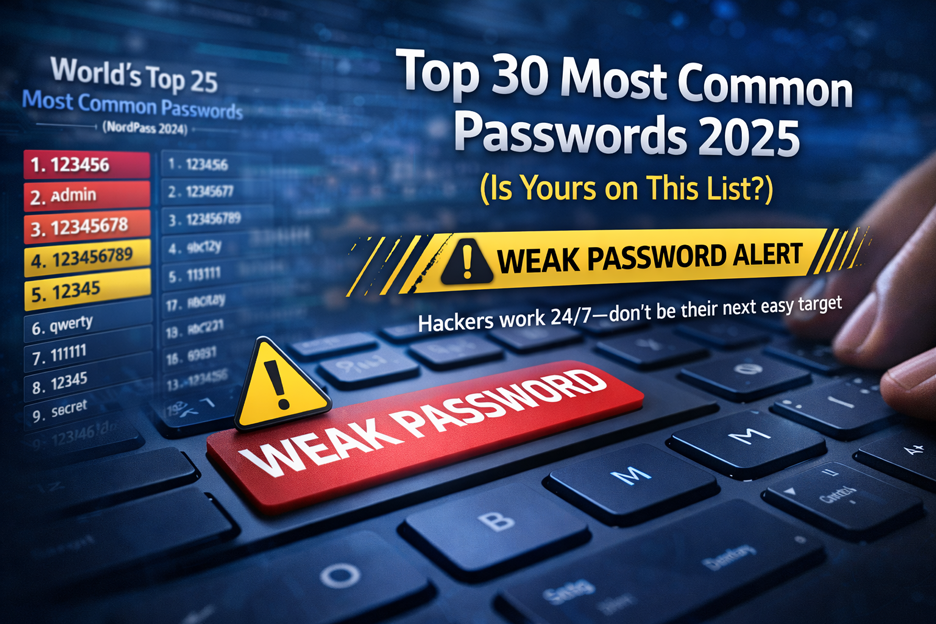
Top 30 Most Common Passwords 2025: Is Yours on This
Most common passwords 2025 revealed—123456 still #1. Goinsta Repairs shows you how to stay…
High-Severity Chrome Vulnerability Exposed AI Assistant to Hijacking – What
CVE-2026-0628: Gemini flaw let malicious extensions hijack AI assistant, access cameras, microphones & files….
Protecting Yourself: Your AI Scam Defense Strategy
Step 1: Strengthen Your Digital Hygiene
Use Strong, Unique Passwords: Create passwords that are at least 15 characters long and include lowercase letters, uppercase letters, numbers, and symbols. Don’t use easily guessed information like birthdays, pet names, or common words. Use a password manager to securely store and manage all your passwords, and change your passwords periodically—especially after a data breach.
Enable Two-Factor Authentication (2FA): Two-factor authentication adds a crucial extra layer of security by requiring a second verification step—often a code sent to your phone or generated by an authentication app—to access your accounts. Even if a scammer steals your password, they cannot access your account without this second factor. The most secure 2FA methods use security keys (hardware devices you plug in) or authentication apps like Google Authenticator.
Keep Your Software and Operating System Updated: Scammers frequently exploit known vulnerabilities in outdated software. Make sure your Windows, macOS, browsers, and all applications have the latest security updates installed. Set your devices to install updates automatically if possible.
Step 2: Be Smart About Your Online Presence
Limit What You Share on Social Media: Scammers research potential victims on social media to find personal information, family names, employment details, and voice/video samples. Avoid posting sensitive information like your address, travel plans, phone numbers, or when you’ll be away from home. Review your privacy settings to restrict who can see your posts.
Avoid Oversharing Personal Details: Information like your mother’s maiden name, birthplace, previous addresses, and school details can be used to answer security questions and compromise your accounts. Be thoughtful about what personal information you share, both online and over the phone.Be Cautious with Public Wi-Fi: Free public Wi-Fi is convenient but insecure. Avoid using public Wi-Fi for financial transactions or sensitive activities. If you must use public Wi-Fi, connect through a VPN (Virtual Private Network) to encrypt your connection. Alternatively, use your mobile hotspot if you have available data.
Step 3: Verify Before You Trust
Hover Over Links Before Clicking: Before clicking any link in an email, hover your mouse over it (or long-press on mobile) to see the actual destination URL. If the URL looks suspicious or doesn’t match what you expected, don’t click it. When in doubt, type the company’s website address directly into your browser instead of clicking a link.
Contact Companies Directly Using Official Channels: If you receive a suspicious message purporting to be from your bank, email provider, or any company, don’t respond to that message. Instead, use a phone number or website address you know is legitimate to contact them directly. For example, if you get a “security alert” email from your bank, call the number on the back of your credit card or visit a branch in person.
Take Time to Think: Scammers want you to act immediately without thinking. When you feel rushed or pressured, it’s a sign to slow down. Take a moment to step back, think clearly, and verify the request before taking action. If it’s a legitimate request, the company will be happy to wait for verification.
Step 4: Know Your Resources
Create Your Personal Scam Action Plan: The Federal Trade Commission offers a free tool called “How I’ll Avoid a Scam: My Action Plan” that helps you create a list of trusted people you can contact if you suspect a scam. Write down phone numbers of people you trust—family members, close friends, or neighbors—and keep this list somewhere accessible. Talking through a suspicious request with someone else often helps you recognize it’s a scam.
Use Anti-Phishing Tools and Software: Install reputable anti-phishing software on your devices, and consider using anti-virus and anti-spyware software as well. Many browsers like Chrome, Firefox, and Safari include built-in phishing detection. Enable these features and keep them active.
Stay Updated on Emerging Threats: Sign up for security alerts from trusted sources like the FBI, FTC, and your financial institutions. Being aware of current scam tactics makes you a harder target.
What to Do If You’ve Been Targeted or Scammed
Immediate Actions
If you believe you’ve fallen victim to an AI-powered scam, act fast to minimize damage:
Step 1: Secure Your Accounts Immediately
• Call the fraud department of any company where fraud occurred
• Change your passwords for all accounts, starting with the most important ones
• Enable or strengthen two-factor authentication on all accounts
• If your email account was compromised, change your email password first, since email is often used to reset other accounts
Step 2: Place a Fraud Alert on Your Credit Report
• Contact one of the three major credit reporting agencies (Equifax, Experian, or TransUnion) to place a fraud alert
• The agency you contact is required to notify the other two
• A fraud alert lasts one year but can be renewed
• A fraud alert requires businesses to verify your identity before opening new accounts in your name
Step 3: Check Your Credit Reports
• Get free copies of your credit reports from annualcreditreport.com
• Review them carefully for any accounts you don’t recognize or unauthorized activity
• Report any fraudulent accounts or transactions to the credit bureaus
Step 4: Consider a Credit Freeze
• A credit freeze is stronger protection than a fraud alert—it prevents credit bureaus from sharing your report with potential lenders, making it much harder for scammers to open accounts in your name
• Credit freezes are free and can be placed, temporarily lifted, or removed at any time
Reporting and Recovery
Step 5: Report to the Federal Trade Commission
• Visit IdentityTheft.gov (or RobodeIdentidad.gov for Spanish-language reporting)
• You’ll receive a personalized recovery plan with specific steps tailored to your situation
• Alternatively, call 877-438-4338 (interpreters available for multiple languages)
Step 6: File a Police Report
• Contact your local police department (non-emergency number) to report the identity theft
• You’ll need the police report number when disputing fraudulent accounts with creditors
• Many creditors require a police report before they’ll remove fraudulent charges from your account
Step 7: Notify Affected Businesses and Banks
• Contact every company where fraud occurred (banks, credit card companies, other creditors)
• Send notifications by certified mail with return receipt so you have proof of delivery
• Close fraudulent accounts or ask the company to freeze them
• Request written confirmation that fraudulent accounts have been closed and debts discharged
Step 8: Keep Detailed Records
• Maintain a file with all documentation: correspondence, police reports, credit reports, and communications with companies
• Log all conversations including dates, times, names, and phone numbers
• Note any time spent and expenses incurred for potential restitution claims
Step 9: Monitor Your Credit and Accounts
• Check your credit reports regularly (at least every few months during recovery)
• Consider using identity theft protection services like LifeLock that monitor the dark web and alert you to unauthorized activity
• Continue to check your financial accounts for any suspicious activity
Special Protection for Vulnerable Populations
For Seniors and Older Adults
Older adults are frequently targeted by AI scams because scammers know they may have substantial savings and are less familiar with new technologies. If you’re helping a senior family member:
• Set up a family verification system: Establish the safe word system mentioned earlier, or create a rule that family members must use a secret callback number
• Help them limit social media sharing: Reduce the amount of personal information, photos, and videos available for scammers to use
• Monitor their accounts: Regularly check their email, bank accounts, and credit reports for suspicious activity
• Educate them about current threats: Share information about AI voice cloning and deepfakes so they understand the risk
• Use technology wisely: Help them set up two-factor authentication and anti-phishing software on their devices
For Business Owners and Employees
If you run a business like Goinsta Repairs or work in a professional environment, you face additional scam risks:
• Train your team: Conduct regular security awareness training so employees can recognize phishing emails, business email compromise attempts, and voice/video impersonation scams
• Implement strict verification procedures: Require employee verification for any urgent requests, especially those involving financial transactions or sensitive data
• Use email authentication: Implement DMARC, SPF, and DKIM protocols to reduce email spoofing
• Deploy advanced email security: Use AI-powered email security tools that can detect suspicious patterns and language
• Establish a reporting culture: Make it easy for employees to report suspicious emails without fear of punishment, and investigate reports promptly
Conclusion: You Are Not Powerless Against AI Scams
The rise of AI-powered scams represents a genuine and significant threat to Americans of all ages and income levels. The statistics are sobering: $2.95 billion in losses to impersonation scams in 2024 alone, a 148% surge in such scams, and 456% growth in AI-enabled scams year-over-year. However, understanding these threats and implementing the protective strategies outlined in this article puts you in a position of strength.
Remember that scammers depend on urgency, fear, and trust to succeed. When you slow down, verify requests through trusted channels, and maintain healthy skepticism of unexpected communications requesting money or personal information, you become a much harder target. Your defense isn’t about being paranoid—it’s about being informed and intentional with your trust.
The most powerful tool you have is your awareness. Share this information with family members, colleagues, and friends. Help seniors in your life set up safe words and verification procedures. Report scams to the FTC so authorities can track trends and issue warnings. And if you do fall victim to a scam, remember that you’re not alone, and there are concrete steps you can take to recover.
In an age where technology is increasingly sophisticated, your most valuable defense remains unchanged: critical thinking, verification, and the wisdom to pause before taking action that can’t be undone. Stay vigilant, stay informed, and protect yourself and those you care about from the rising tide of AI-powered scams.
Need Help Protecting Your Business or Personal Devices?
At Goinsta Repairs, we understand that cybersecurity is about more than just antivirus software—it’s about maintaining healthy digital habits and staying informed about emerging threats. If you’ve been targeted by a scam, have concerns about your device security, or want to set up additional protective measures, our team is here to help. Contact us today for a consultation on securing your Windows or macOS systems against evolving cyber threats.