
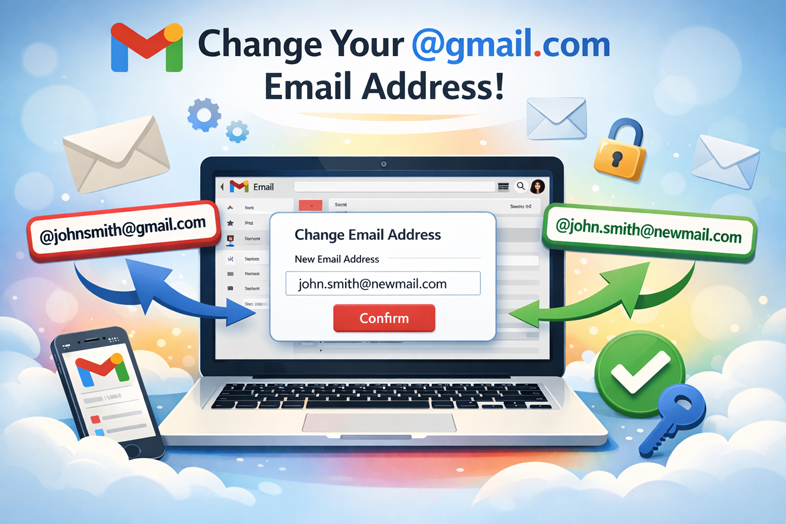
The Gmail Feature Everyone’s Been Waiting For Is Here
TL;DR: Google is gradually rolling out a game-changing feature that allows you to change your @gmail.com email address to a new one without losing any of your data, purchases, or account history. Your old email becomes an alias, and you’ll be able to sign in with both addresses. However, the feature comes with limitations: you can only change your address once every 12 months, with a maximum of three changes per account.
The End of an Era: Gmail’s Biggest Limitation Is Finally Being Lifted
For nearly two decades, Gmail users have faced one of the most frustrating limitations in email history: the inability to change their @gmail.com address. Whether you created your account during your high school years with a now-embarrassing username or simply want a more professional identity, you were stuck. Your Gmail address was permanent, unchangeable, and tied to every service you signed up for.
If you wanted to change your email address, your only option was creating an entirely new account and manually migrating all your data—emails, files, photos, subscriptions, settings—everything. It was a monumental task that deterred millions of users from making the switch, forcing them to keep outdated email addresses they’d outgrown.
But times are changing. According to newly discovered support documentation from Google, the company is now rolling out a feature that allows users to finally change their @gmail.com email address to a new one while keeping all their existing data intact. This is a significant policy shift that marks the end of one of Gmail’s most rigid limitations.
How the Gmail Address Change Feature Works
The new feature is elegantly designed to minimize disruption while giving users the flexibility they’ve been asking for. Here’s exactly how it works:
The Basic Process
When you change your Gmail address, Google handles the transition seamlessly:
- Your new address becomes primary: You can choose any available @gmail.com address as your new primary email.
- Your old address becomes an alias: Rather than disappearing, your original email address is automatically converted into an alias, continuing to receive emails.
- Unified inbox experience: Emails sent to both your new and old addresses arrive in the same inbox—no juggling between multiple accounts.
- Dual authentication: You can sign in to Google services using either your new email address or your old one. Both work perfectly fine.
- Data preservation: All your stored data remains completely untouched. Your Drive files, Google Photos, purchase history, Gmail messages, and account settings stay exactly as they were.
How to Check If You Have Access
Because this feature is rolling out gradually, it isn’t available to everyone yet. Here’s how to check if your account is eligible:
- Navigate to myaccount.google.com/google-account-email on your computer
- Select Personal Information from the left-hand menu
- Look for Google Account email under the “Contact info” section
- Search for a button labeled “Change your Google Account email address”
If you see this button, congratulations—you’re in the rollout! If not, the feature hasn’t reached your region or account type yet. Google says it will gradually expand access to all users over time.
Important Limitations and Restrictions
Google has implemented guardrails to prevent abuse of this feature. Before you rush to change your email address, it’s important to understand the limitations:
The 12-Month Waiting Period
Once you change your Gmail address, you must wait a full 12 months before making another change. This means you can’t experiment with multiple addresses or change your mind after a few weeks. Choose wisely the first time.
Limited Total Changes
Each account can change its @gmail.com address a maximum of three times, resulting in a total of four different Gmail addresses per account over your lifetime. This is a permanent cap, so plan your changes accordingly.
The Old Address Cannot Be Reused (By Others)
While you cannot personally create a new Gmail account using your old address for 12 months after the change, your old address is reserved exclusively for you. No one else can take it. This protects your account security and prevents someone else from impersonating you.
What Stays Behind and What May Change
While Google preserves your core data, there are some places where traces of your old email address may linger:
What Persists
Calendar events created before the change will still display your old email address in some cases. These won’t immediately update to your new address. Similarly, some older documents or shared files may retain references to your original email. Google notes that updates may not be immediately reflected everywhere.
What You Can Still Do
Despite the change, you can continue sending emails from your old address. This is particularly useful if important contacts or services are set to watch for emails from your original address. You maintain the ability to “send mail as” your old address in Gmail settings.
Potential Third-Party Service Friction
Google strongly warns that changing your primary email address may cause compatibility issues with external services. This is crucial to understand before making the switch:
Services That May Be Affected
- Sign in with Google integration: If you use “Sign in with Google” to access third-party websites or apps, you may need to re-authenticate or update your credentials after changing your email.
- Chromebook or Chrome Remote Desktop: These services may require re-authentication following an email address change.
- Work and school accounts: Managed accounts from employers or educational institutions cannot change their addresses without administrator approval.
- Other integrated services: Any third-party app or website that has direct knowledge of your Gmail address may require updates.
Google’s Recommendation
Before initiating your email change, Google strongly recommends:
- Back up essential data: Ensure all critical files, photos, and documents are safely backed up.
- Review app permissions: Check which apps and services have access to your Google Account.
- Update linked services: Notify services that rely on your email address that a change is coming.
- Test the change: If possible, test important services after changing your email to ensure they still work properly.
Security Implications and Best Practices
While this feature is genuinely convenient, it does introduce some security considerations worth discussing:
Potential Security Concerns
Cybercriminals often take advantage of confusion surrounding new features. Email address changes can affect login credentials across various Google services, making this a potential target for phishing attempts. Be cautious of any unsolicited communications asking you to “confirm” or “update” your Gmail address, especially if they include links requesting login information.
How to Stay Safe
- Never respond to phishing emails: Google won’t contact you via email to verify address changes. All legitimate account changes happen directly in your account settings.
- Verify through official channels: Only access your email address settings through myaccount.google.com.
- Enable two-factor authentication: If you haven’t already, set up two-factor authentication (or preferably, a passkey) on your account for added security.
- Monitor account activity: Regularly check your account’s security settings for any unfamiliar changes, especially to your recovery phone number, recovery email address, or security questions.
- Update recovery methods: Ensure your recovery phone number and backup email are current and accurate.
Why This Matters: The Bigger Picture
This feature represents far more than just a quality-of-life improvement. It’s a significant cultural shift in how Google approaches user autonomy and digital identity:
Breaking Free from Digital Decisions
For many people, their Gmail address represents a permanent reminder of who they were when they created their account—often as teenagers. Teachers, marketers, and professionals have been trapped with unprofessional addresses created when they were in high school. This feature finally allows users to evolve their digital identity without starting from scratch.
Catching Up to the Competition
Email services like Outlook and Proton Mail have long allowed users to manage multiple aliases and change their primary email address. Google Workspace customers could also add alternate addresses. This new capability for standard Gmail users brings Google’s consumer offering in line with competitors.
A Vote for User Flexibility
The rollout of this feature acknowledges a growing trend in tech: users want control over their data and digital identity. This move signals that even established, seemingly permanent features can evolve based on user needs and market demands.
When Will You Get Access?
As of late December 2025, this feature is only available in Hindi on Google’s support pages, suggesting it may be testing initially in India before expanding globally. Google has been deliberately vague about the rollout timeline, simply stating it will be “gradually introduced” to all users.
The lack of an official announcement also suggests Google may be testing the feature extensively before making a grand proclamation. Given past patterns, expect the feature to become available to more regions in the coming months or quarters.
What This Means for You
- If you see the change option: You’re among the early adopters. Make your decision carefully, considering all the implications discussed above.
- If you don’t see the option yet: Keep checking every few weeks. Google typically expands features progressively, so availability may come sooner rather than later.
- If you’re in a managed account: Contact your administrator. Managed accounts (like those provided by employers or schools) need administrator approval to change email addresses.
Preparing for Your Email Address Change
If you’re ready to take advantage of this feature once it reaches you, here’s a checklist to prepare:
Pre-Change Preparation
- Choose your new address: Think carefully about what you want your new email to be. Remember, you’re committed to it for at least 12 months.
- Verify it’s available: Check that your desired Gmail address isn’t already taken.
- Notify important contacts: Prepare a list of people and services that should know about your email change.
- Review connected apps: List all apps, websites, and services using your Google Account, especially those with “Sign in with Google.”
- Document your old address: Note your original email somewhere safe, as you may need it for troubleshooting.
- Back up data: Download copies of important emails, Drive files, and photos using Google Takeout.
Post-Change Actions
- Update linked services: Systematically go through each connected app and service to ensure they recognize your new email.
- Test critical functions: Verify that Chromebook login, Chrome Remote Desktop, and other services still work.
- Monitor recovery settings: Check that your recovery phone and backup email haven’t been altered.
- Review account permissions: Audit app permissions in your Google Account’s security settings.
- Spread the word: Gradually update your new email address with important contacts over time.
Final Thoughts
After decades of frustration, Google users can finally see light at the end of the tunnel. The ability to change your @gmail.com email address represents genuine progress in user autonomy, even if it comes with limitations and caveats. While this feature won’t solve every email problem, it does eliminate one of Google’s most antiquated restrictions.
As with any significant account change, approach this feature thoughtfully. Take time to consider whether changing your email address is truly necessary, prepare adequately for the transition, and remain vigilant about security throughout the process. But for those ready to retire their outdated email handles and embrace a more professional or personal digital identity, this feature finally makes that dream possible.
The rollout may be gradual, and the restrictions may seem strict, but for millions of Gmail users, this represents a long-overdue win—and proof that even the largest tech companies can listen to their users and evolve their most fundamental features.
Have you been waiting for the ability to change your Gmail address? Share your thoughts in the comments below. And if you’ve already made the switch, let us know how the transition went!