
“I Sent You an Email from Your Account”: The Extortion Email Scam You Should Never Fall For
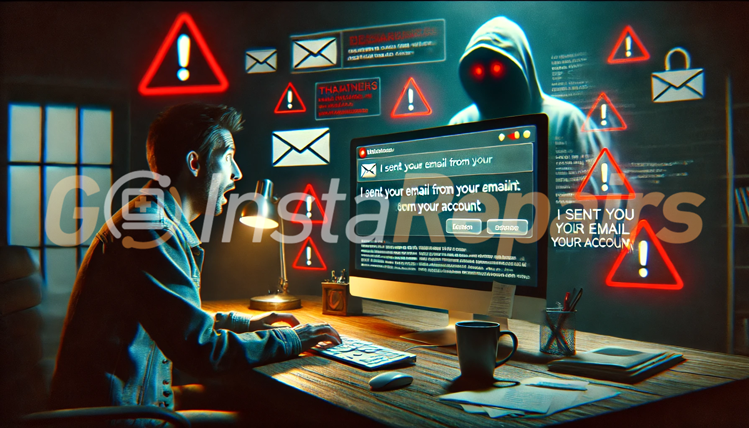
Imagine checking your inbox and seeing an email that appears to come from… yourself. The subject line might be alarming, and the message claims to have access to your webcam, browser history, and even personal videos of you. The sender threatens to expose it all to your friends, coworkers, and family—unless you send them money in Bitcoin. Sounds terrifying, right?
You’re not alone. Many people across the U.S. have received this type of scam email, commonly called a sextortion scam. But here’s the truth: it’s all a bluff designed to scare you into paying.
In this article, we’ll explain what this scam is, how it works, why you shouldn’t panic, and—most importantly—what to do if you ever receive one.
What is an Extortion Scam Email?
Extortion scam emails (sometimes referred to as sextortion emails) are designed to frighten people into sending money, usually by threatening to share embarrassing or private information. These scammers claim they have access to your computer, webcam, contacts, and more. They’ll often say things like:
“I recorded you while you were visiting adult websites.”
“I have a video of you on one side of the screen and the content you were watching on the other.”
“If you don’t send me $1200 in Bitcoin within 48 hours, I’ll send this video to everyone you know.”
These messages are often written in broken English and loaded with fear tactics. The goal? To get you to panic and send money—fast.
But… How Did They Email Me from My Own Address?
This is where the trick comes in: email spoofing.
Email spoofing is when someone fakes the “From” field in an email to make it look like it came from someone else—including you. It doesn’t mean they’ve hacked your account. It just means they’re pretending to be you.
It’s similar to someone writing your name on the return address of an envelope and dropping it in the mail. That doesn’t mean they live at your house—it just means they’re lying.
So, when you see an email “from yourself” with scary claims, don’t automatically assume your account has been hacked. That’s exactly what the scammer wants you to believe.
What Is “njRAT” and Should You Be Worried?
Some scam emails mention something called njRAT, Pegasus, or other creepy-sounding viruses. These are real programs used by cybercriminals to take control of computers—but in these scam cases, they’re not actually on your computer.
Scammers use big tech terms to sound more convincing. They’ll write:
“You got infected with njRAT while visiting an adult site. It gives me full control of your computer.”
Sounds horrifying. But in most cases, they haven’t infected your computer at all. They’re just using scary jargon to trick you into thinking it’s true.
Don’t fall for it. They rely on fear, not facts.
The Truth: What Scammers Actually Have (and What They Don’t)
Let’s clear this up:
✅ They spoofed your email address. That’s it.
🚫 They do NOT have control of your computer.
🚫 They do NOT have a video of you.
🚫 They do NOT have access to your webcam, files, or contacts.
🚫 They do NOT know your passwords (even if they mention an old one they found from a data breach).
Scammers often get your email address from old data leaks or purchased email lists. Then they send out mass emails, hoping someone will panic and pay up.
It’s a numbers game to them. They send thousands of these emails. Even if only a few people fall for it, they make money.
Common Signs of a Scam Email
Here are some things to watch out for:
- You receive an email from “yourself” or a slightly misspelled version of your email.
- They threaten to release a video unless you pay money in Bitcoin.
- They use poor grammar and awkward phrasing.
- They give you a deadline—usually 24 to 48 hours—to pay.
- They say you can’t tell anyone or they’ll release the video immediately.
- The message may come as a PDF or image to avoid spam filters.
If you see any of these signs, do not panic. It’s a scam.
What Should You Do If You Get One?
- Don’t Reply
Responding tells the scammer that your email is active, and it might lead to more scam attempts. - Don’t Pay
You’ll be throwing money away. There’s no video. There’s no evidence. Once you pay, they might just ask for more. - Change Your Passwords
Even though this scam is mostly fake, it’s always a good idea to change your email password and enable two-factor authentication (2FA). This adds an extra layer of protection. - Run a Malware Scan
Just to be safe, scan your device with a reliable anti-malware program like Malwarebytes, Norton, or AVG. Most of the time, your device is clean—but better to be sure. - Report the Scam
You can report scam emails to the FTC (Federal Trade Commission) or forward them to reportphishing@apwg.org. This helps authorities track these scams. - Delete the Email
Don’t keep it around to stress you out. Once you’ve taken the necessary steps, get rid of it.
How to Stay Safe in the Future
✅ Use Strong, Unique Passwords
Don’t reuse the same password across different sites. A password manager can help you keep track of them.
✅ Turn On Two-Factor Authentication (2FA)
This sends a text message or code to your phone when someone tries to log in to your account. It’s a simple way to lock things down.
✅ Keep Software and Devices Updated
Security updates fix known weaknesses. Keeping your computer and phone up-to-date helps protect against real threats.
✅ Cover Your Webcam
If you rarely use your webcam, put a piece of tape or buy a sliding cover for peace of mind. Just knowing it’s covered can make you feel better.
What If They Mention a Real Password You’ve Used?
That can be unsettling. But here’s the thing: scammers sometimes use passwords leaked in old data breaches from websites like LinkedIn, MyFitnessPal, or other services you may have forgotten about.
These passwords are often years old and no longer relevant. Still, if you see a familiar password in a scam email, it’s a good reason to change your login info on any sites still using it.
You can also check if your info has been in a data leak by visiting have i been pwned?. It’s a safe, trusted site that shows you if your email or passwords were part of a known breach.
Don’t Let Fear Win—You’re Not Alone
Receiving an email like this can feel overwhelming and embarrassing. Scammers count on that. They want you to feel scared, isolated, and desperate enough to send money.
But don’t give them that power.
These are nothing more than digital bullies trying to make a quick buck. You’re not the first person to receive this kind of message—and sadly, you won’t be the last. The best thing you can do is stay calm, stay informed, and take simple steps to protect yourself.
You’re smarter than these scammers. And now, you’re ready to help protect others too.
Instagram Password Reset Email Alert: What You Need to Know in January 2026
Instagram users are flooded with fake password reset emails. Learn what this…
Top 3 Security Software Solutions for Mac and Windows Users in 2026
Protect your Mac or Windows computer in 2026 with the right security…
Broken Updates, Spyware, and Forced Upgrades: How Microsoft Failed Windows in 2025
Review Microsoft’s top 10 Windows failures of 2025….
Share This Knowledge
If you found this article helpful, consider sharing it with friends and family—especially older adults or anyone less familiar with tech. These scams target everyday people, not tech experts, so spreading the word is one of the best ways to shut these scammers down.
Remember: knowledge is power—and peace of mind.
Need Help?
If you’re ever in doubt about an email or computer issue, reach out to Goinsta Repairs. It’s better to ask questions than to fall into a trap.
Stay safe out there—and don’t let scammers steal your time, peace of mind, or hard-earned money.