Showing 61–65 of 65 resultsSorted by latest
-
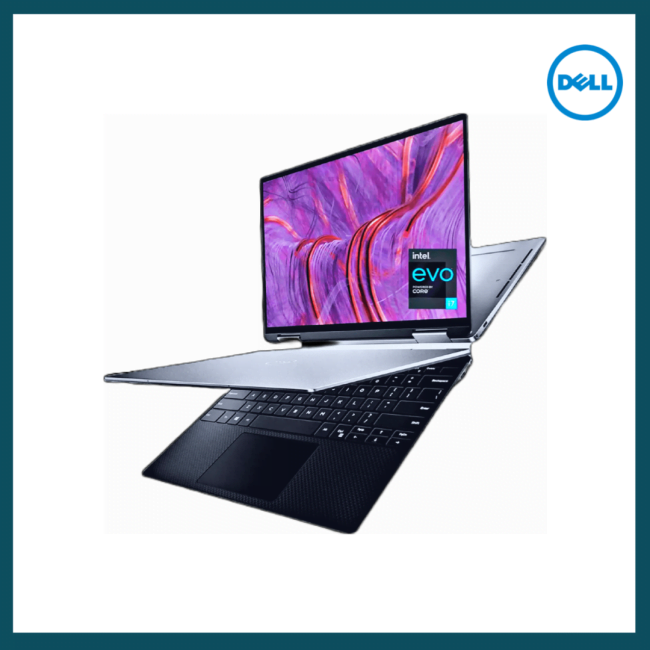

$1,400.00 – $1,845.00Price range: $1,400.00 through $1,845.00
Stunning inside and out
13.3-inch laptop featuring 11th Gen Intel® Core™ processors in a striking design with a 3-sided InfinityEdge display.
Call 888-3335 7145 request to speak to one of our experts and get your ordered upgraded and delivered in no no time.
-
Sale!
$129.00 Original price was: $129.00.$89.00Current price is: $89.00.
Windows 11 Home comes with all the features and creature comforts you can expect, including Windows Hello, Secure Boot, Windows Security, parental controls, device encryption, and more.
-

$59.99 – $99.99Price range: $59.99 through $99.99
Avast Premium Security
Get complete protection with powerful antivirus, plus:
Shop and bank safely — anytime, anywhere.
Easily spot fake websites and ransomware.
Stop hackers from remotely taking over your device.
-
![AOMEI Backupper Server Edition | 1PC | Perpetual & Lifetime upgrades [Download]](https://goinstarepairs.com/wp-content/uploads/2023/01/c11cbb07-9969-402a-af37-efc4456fa09b-650x650.png)
$349.99
AOMEI Backupper Professional is a professional backup and restore software to help users protect data continuously with user-friendly useful features.
-
![AOMEI OneKey Recovery Professional |1 PC | Perpetual License [Download]+ Free Remote Installation](https://goinstarepairs.com/wp-content/uploads/2023/01/img_0083-650x650.png)
$69.99
AOMEI OneKey Recovery Features:
System Backup – Select an existing partition to allocate a required amount of free space for creating a recovery partition, where a system backup image is saved.
System Recovery – Restore your computer to its factory settings or a previously backed upstate. It is the best way to return things to normal when a disaster happens. Support restoring your system to the original location or other location.
Easy to Use – For most computers, you can press a special keyboard button – “F11” (default) or “A” key when your computer starts up to enter into Windows PE environment, and then automatically launch AOMEI OneKey Recovery. For the computers with EFI/UEFI boot, you can enter into the program to restore your system using Windows Boot Menu. Of course, AOMEI OneKey allows you to configure how to display the boot menu.
