
Skip to content
Goinsta Reoairs Logo
  • Our ServicesExpand
    • Remote Support
    • On-Site Support
    • Insta Care
    • Smart Home
  • ResourcesExpand
    • Download Center
    • FAQ
    • Video Library
    • Contact us
  • My account
  • ShopExpand
    • Office 2024 Life-Time Sale
    • Antivirus Sale
  • Blog
  • Cart Shopping Cart
    • No products in the cart.
Goinsta Reoairs Logo
Goinsta Repairs
Fast Computer Repairs, One Call Away!

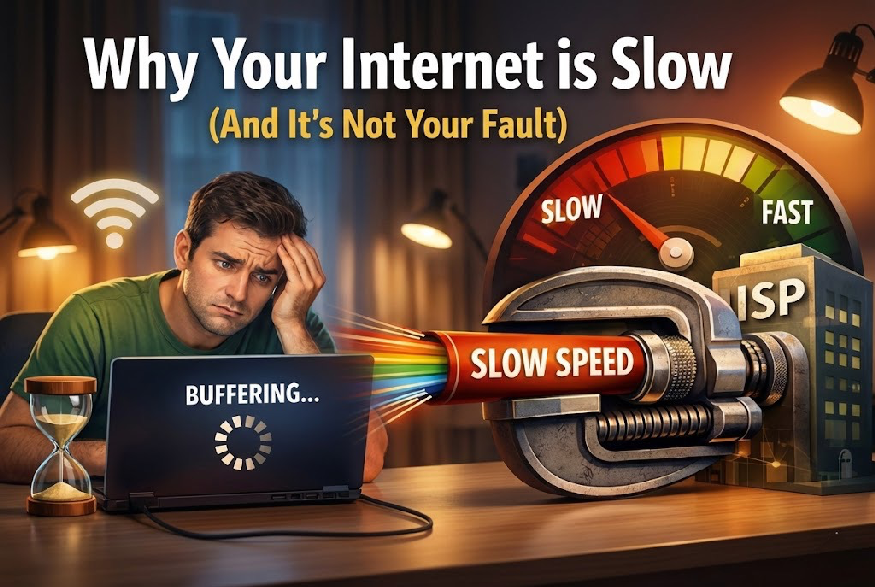
Why Your Internet is Slow (And It’s Not Your Fault)

Home / Tech Tips /
Internet Troubleshooting / Network / Tech Tips / Troubleshooting
  • Facebook
  • LinkedIn
  • X
  • Google
  • Instagram


Have you ever found yourself staring at a spinning wheel, waiting for a website to load or a video to buffer? You’re not alone. Slow internet speeds are a frustrating reality for millions of people around the world. But here’s the thing: it’s not your fault. Your internet service provider (ISP) might be intentionally slowing down your connection, and it’s not just about network congestion or outdated infrastructure. There’s a more sinister force at play: internet throttling.

What is Internet Throttling?

Internet throttling occurs when an ISP intentionally slows down or limits your internet bandwidth, usually to manage network congestion, reduce costs, or prioritize certain types of internet traffic. This can result

Why Do ISPs Throttle the Internet?

ISPs throttle the internet for several reasons:

  1. Network Congestion: To manage network congestion during peak hours, ISPs might throttle internet speeds to prevent network overload.
  2. Cost Savings: By throttling internet speeds, ISPs can reduce the amount of bandwidth they need to provide, resulting in cost savings.
  3. Prioritization: ISPs might throttle certain types of internet traffic, such as video streaming or online gaming, to prioritize other types of traffic, like online banking or email.
  4. Data Caps: Some ISPs impose data caps on their customers, throttling internet speeds once the cap is reached.

The Unsettling Truth: ISPs Can See Everything You Do Online

What’s even more alarming is that ISPs can see everything you do online. They have access to your browsing history, search queries, and online activity. This means they can:

  • Monitor Your Online Activity: ISPs can track your online activity, including the websites you visit, the apps you use, and the content you stream.
  • Collect Your Personal Data: ISPs can collect your personal data, including your IP address, location, and device information.
  • Use Your Data to Throttle Your Internet Speed: ISPs can use your data to throttle your internet speed based on your online activity. For example, if you’re streaming video content during peak hours, your ISP might slow down your internet speed to manage network congestion.
Windows 10 End of Support: Why It’s Causing Such Headaches Windows 10 end of support

Windows 10 End of Support: Why It’s Causing Such Headaches

Microsoft has officially ended support for Windows 10, leaving millions of users vulnerable to bugs, blue screens, data loss, and...

Read More
Microsoft’s Windows 11 Upgrade Comes with a Catch — And It’s All About OneDrive Frustrated computer user

Microsoft’s Windows 11 Upgrade Comes with a Catch — And

As Windows 10 nears its end-of-life in October 2025, every user will need to move to Windows 11 — and Microsoft is using...

Read More
Ditch the Recurring Fee: Get Microsoft Office 2024 with a One-Time Purchase Office-Pro-2024-vs-365

Ditch the Recurring Fee: Get Microsoft Office 2024 with a

The Ultimate Showdown: Buying Microsoft Office 2024 vs. Subscribing to Office 365...

Read More
Computer Networking: Setting Up a Home or Office Network "Learn how to set up and manage a computer network with our comprehensive guide. Discover the fundamentals of computer networking, including hardware and software requirements. Follow step-by-step instructions for setting up a home or office network, and understand the different types of networks, including LAN, WAN, and WLAN

Computer Networking: Setting Up a Home or Office Network

Learn to set up & manage a computer network with our guide. Discover fundamentals, configure settings & troubleshoot issues....

Read More
The Top 5 Internet Service Providers in the US for 2024 US MAP WITH WIFI LOGO IN THE MIDDLE

The Top 5 Internet Service Providers in the US for

Get lightning-fast internet that keeps up with you! Find the fastest and most reliable internet providers in CO, FL, TX,...

Read More
No Thumbnail Found

Internet Download Speed vs. Upload Speed: Key Differences Explained 

The importance of download and upload speeds in optimizing your internet experience....

Read More

Quickly check the performance of your home Internet and WiFi with our Internet Speed Test. Measure your upload and download speeds in seconds.

How Does Internet Throttling Affect Users?

Internet throttling can have significant consequences for users:

  1. Slow Internet Speeds: Throttling can result in slow internet speeds, making it difficult to stream videos, play online games, or even browse the web.
  2. Buffering and Lag: Throttling can cause buffering and lag, ruining the online experience.
  3. Inability to Access Certain Content: ISPs might throttle specific types of content, like video streaming services, making it difficult or impossible to access them.
  4. Impact on Business and Productivity: Internet throttling can significantly impact businesses and individuals who rely on a fast and reliable internet connection to work or study.

Why Should You Be Aware of Internet Throttling?

It’s essential to be aware of internet throttling because:

  1. Lack of Transparency: ISPs often don’t disclose their throttling practices, making it difficult for users to know what’s happening.
  2. Unfair Business Practices: Throttling can be an unfair business practice, as ISPs might prioritize their own content or services over others.
  3. Net Neutrality: Internet throttling can be a threat to net neutrality, the principle that ISPs should treat all internet traffic equally.

What Can You Do to Protect Yourself?

To protect yourself from internet throttling:

Support Net Neutrality: Advocate for net neutrality and support organizations that fight for a free and open internet.

Check Your Internet Speed: Regularly check your internet speed using online tools to detect any throttling.

Use a VPN: Virtual Private Networks (VPNs) can help mask your internet traffic, making it more difficult for ISPs to throttle your connection.

Choose an ISP with Transparent Practices: Research ISPs that have transparent throttling practices and prioritize net neutrality.


Post navigation

Previous Previous
Tech Troubles? Get Instant Expert Fixes Without Leaving Your Desk!
NextContinue
Speed Up Your PC in Minutes: A Step-by-Step Guide to Disabling Unnecessary Windows Services

Social Media

Facebook Linkedin X Instagram YouTube Google Reviews
  • FAQ
  • About Us
  • Contact us
  • care@goinstarepairs.com
  • Refund Requests
  • Return Policy
  • Privacy Policy
  • Terms and Conditions
Scroll to top
  • Our Services
    • Remote Support
    • On-Site Support
    • Insta Care
    • Smart Home
  • Resources
    • Download Center
    • FAQ
    • Video Library
    • Contact us
  • My account
  • Shop
    • Office 2024 Life-Time Sale
    • Antivirus Sale
  • Blog
Search